

 As described in the OpenGraph Overview, extensions that include an extension definition schema enrich collector-generated to produce structured graphs. Structured graphs enable enhanced features in BloodHound, such as pathfinding, findings, and metrics.
Extensions that do not include an extension definition schema produce generic graphs.
SpecterOps has developed several extensions that follow this model, including:
GitHub
Visualize and analyze your GitHub configurations in BloodHound.
Jamf
Visualize and analyze your Jamf configurations in BloodHound.
Okta
Visualize and analyze your Okta configurations in BloodHound.
SCIM
Visualize SCIM-provisioned users and groups as nodes in BloodHound.
Only users with the Administrator role can upload and delete extension definition schemas. Non-administrator users can view installed extensions, findings, and edges.
Extension management models
BloodHound uses several extension management models. Understanding the distinction helps you know which extensions BloodHound manages automatically and which schemas Administrators must manage manually.Before you begin
Complete the following steps before you verify or install an extension and upload structured graph data:Only users with the Administrator role can manage extensions.
1
Get extension artifacts
How you obtain extensions and collectors depends on your BloodHound edition and how they are distributed:
- BloodHound Community: Users can download and use publicly available community-built extensions and collectors from GitHub repositories.
-
BloodHound Enterprise: GitHub, Jamf, and Okta are supported as pre-installed extensions. Use the OpenGraph Management page to verify the installed version. You can still manually upload publicly available, companion, or custom extensions as needed.
If you need a newer version of a pre-installed extension outside the standard BloodHound Enterprise release cycle, coordinate with your account team.
Pre-installed extensions can include detailed findings and remediation guidance when that feature is enabled in your environment. Contact your account team for availability.
2
Review prerequisites
After you obtain an extension and collector, review the prerequisites in the extension-specific setup documentation.For OpenHound-based collectors (GitHub, Jamf, and Okta), review edition-specific deployment information (Enterprise or Community) and the collector-specific documentation for details on permissions, platform API configuration, and deployment options.
Workflow
The workflow for generic and structured OpenGraph data is largely the same. The main difference is that structured graphs require an extension definition schema to be installed. An Administrator can ensure availability either by verifying a pre-installed extension or by uploading one manually. After that, users with read access can view installed extensions and use the resulting structured graph data. If changes are needed, only Administrators can upload or delete extension definition schemas. See User Role Definitions for a full breakdown of permissions.For OpenHound collectors (GitHub, Jamf, and Okta), upload behavior depends on both deployment model and BloodHound edition. Only BloodHound Enterprise can accept payloads directly through the API. BloodHound Community requires manual file upload.
Initial setup
The following diagram provides a high-level overview of the recommended workflow to prepare BloodHound for producing structured graphs from OpenGraph extensions. The initial setup workflow is not strictly linear and not all steps are required. For example, importing Saved Queries and creating extension-specific Privilege Zone rules are optional.For generic graphs, the workflow is minimal: users may optionally import Saved Queries (if any). Verifying or installing an extension definition schema and updating Privilege Zone rules is not required.
Operational cycle
After initial setup, the following diagrams illustrate the recurring cycle of operations to keep extension data current. For OpenHound collectors, upload behavior depends on edition and runtime model: Enterprise can ingest through the API (often automatic when using a collector client), while Community requires manual file upload from locally run collector executables. The following diagrams illustrate the OpenHound workflow for both Enterprise and Community editions. BloodHound Enterprise (containerized) BloodHound Community (CLI)Verify or install an extension
Before you upload structured OpenGraph data, make sure BloodHound has the matching extension definition schema. In BloodHound Enterprise, GitHub, Jamf, and Okta are supported as pre-installed extensions and usually only need verification. Administrators still manage custom or companion extension definition schemas, such as SCIM, manually. In BloodHound Community, Administrators manage all extension definition schemas manually.Only users with the Administrator role can install, update, and delete extension definition schemas.
1
Open the OpenGraph Management page
In the left menu, click Administration > OpenGraph Management.
2
Verify or install extensions
Choose the path that matches your scenario:
- Verify pre-installed extensions
- Install an extension
Confirm the extension appears in the list of active extensions.For example, confirm that BloodHound Enterprise lists the built-in Active Directory and Azure extensions and the pre-installed GitHub, Jamf, and Okta extensions.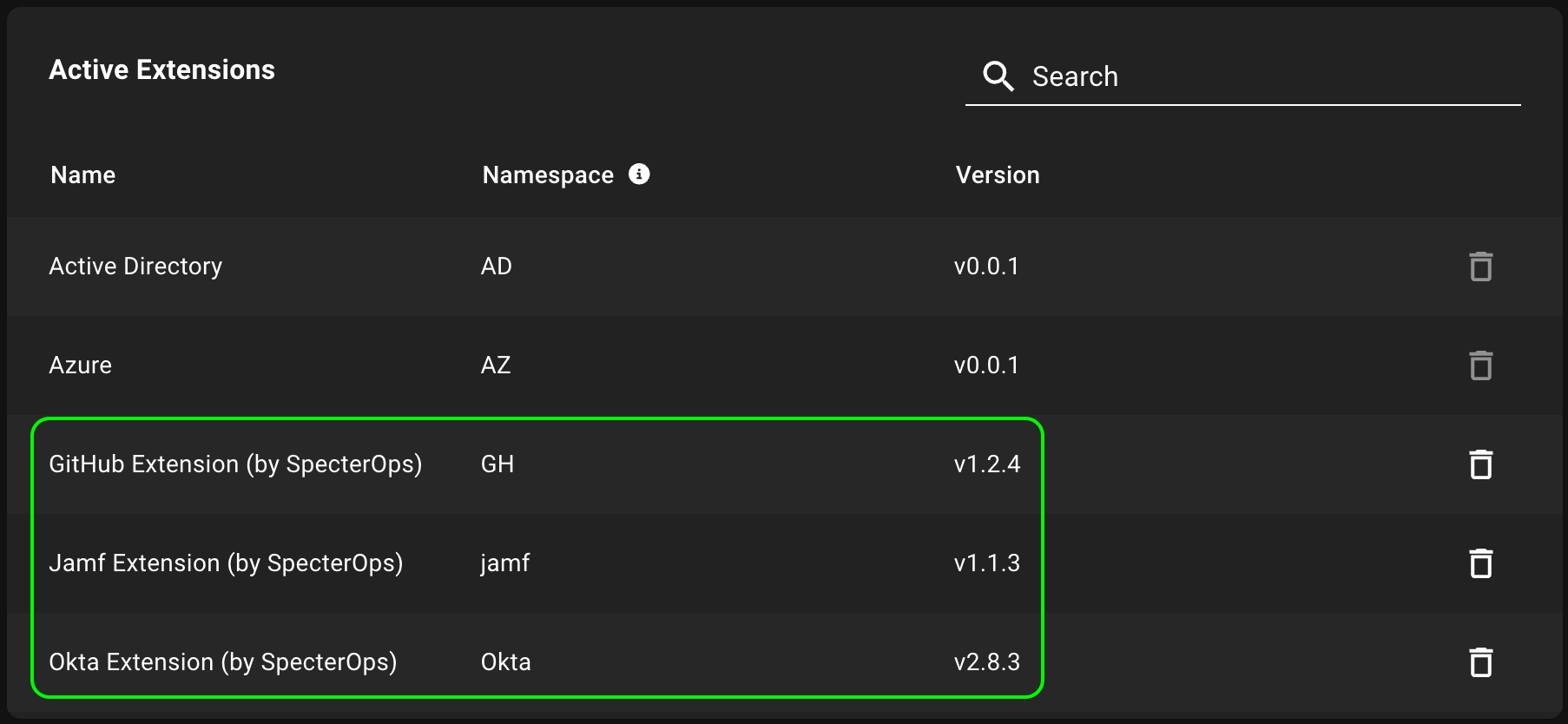
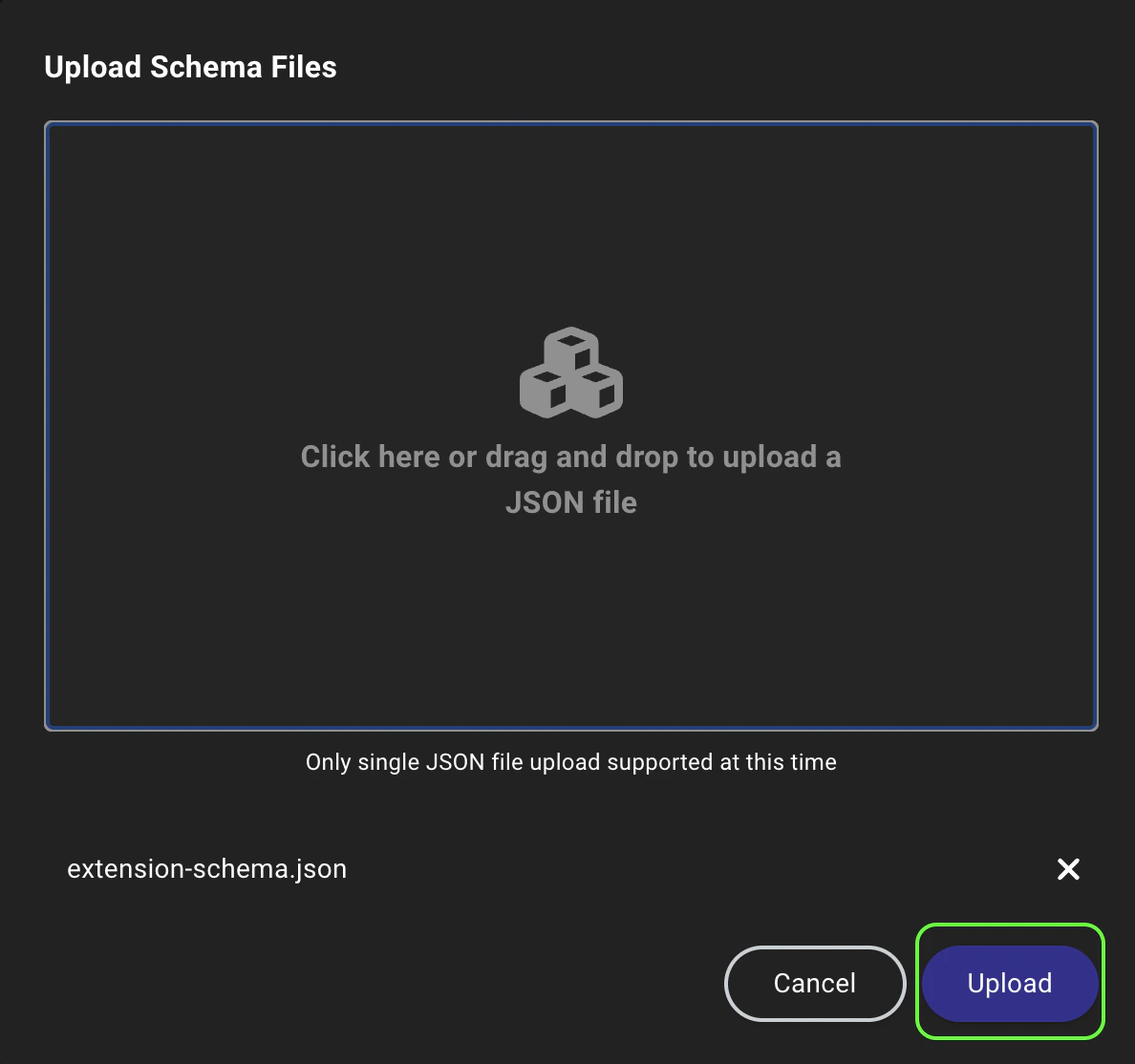
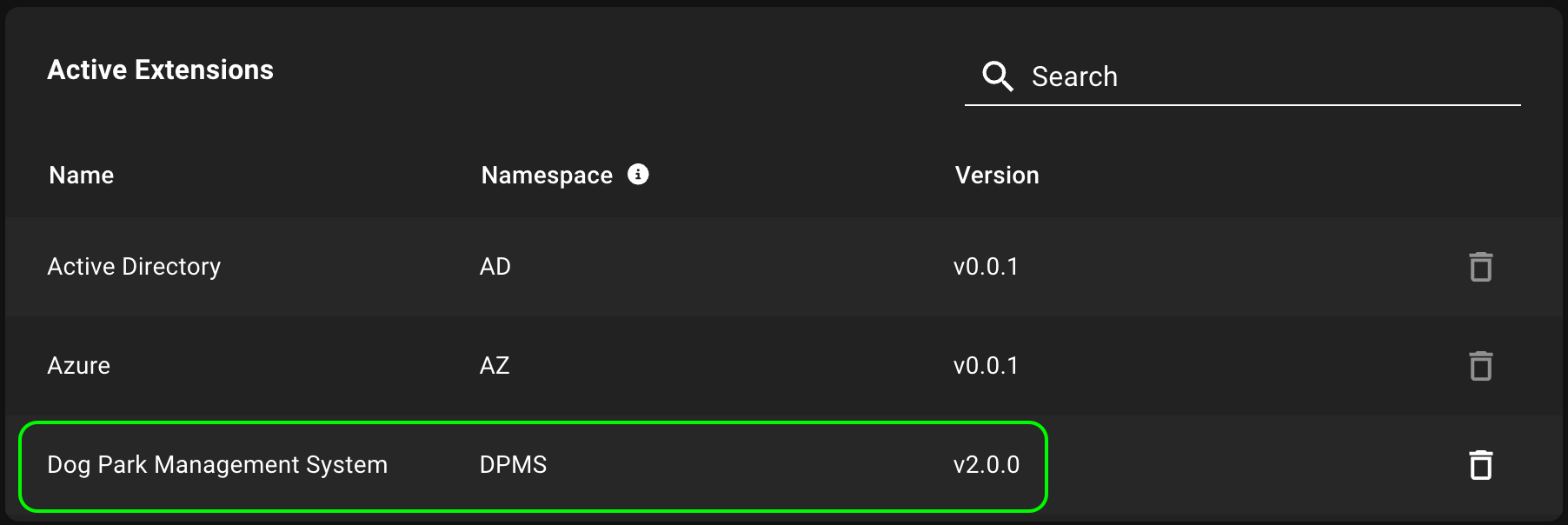
Update an extension
Collectors and extensions are versioned separately. To avoid compatibility issues, do not update collectors independently without confirming extension compatibility. Update collectors and extension definition schemas together whenever possible. To update an extension, upload the new version using the same process as installing a new extension. BloodHound validates the new extension definition schema and replaces the earlier version with the new one.Automatic updates
In BloodHound Enterprise, the pre-installed GitHub, Jamf, and Okta extensions follow automatic update rules. At application startup, BloodHound Enterprise compares each pre-installed extension with the embedded version included in the current release and keeps whichever version is newer:
If you want to update a pre-installed extension outside the standard BloodHound Enterprise release cycle, coordinate with your account team.
You can manually install an older version of a pre-installed extension. However, this rollback does not persist across application restarts.At startup, BloodHound Enterprise reruns the automatic version check and reinstalls the embedded version if it is newer. Contact your account team if you need help maintaining a rollback across restarts.
Delete an extension
Deleting an extension removes the extension definition schema from BloodHound, but leaves the underlying data intact. Associated data reverts to generic graphs, which means structured graph capabilities are no longer available. You can still use node search and Cypher queries on the Explore page to explore the data. If you want to delete the data associated with an extension, you can do so separately on the Database Management page. To delete an extension, click the (trash) icon next to it in the list of active extensions and confirm the deletion in the prompt.You cannot delete built-in extensions (Active Directory and Azure).In BloodHound Enterprise, Administrators can delete pre-installed extensions (GitHub, Jamf, and Okta), but BloodHound Enterprise reinstalls them at the next application restart.
Upload data
After an Administrator installs an extension or verifies that an extension is present, users can upload data payloads that conform to the extension definition schema and take advantage of structured graph capabilities in BloodHound. For extensions that use OpenHound collectors (GitHub, Jamf, and Okta), AzureHound, or SharpHound, how data is uploaded depends on your BloodHound edition:- BloodHound Enterprise: The collector client can upload data directly through the API. In containerized deployments, upload is typically automatic.
-
BloodHound Community: After running the OpenHound, AzureHound, or SharpHound collector executables locally and generating data files, follow the manual upload steps below.
For extensions that do not use OpenHound collectors, follow the manual upload steps below.
1
Upload data
Upload a data payload that conforms to the installed extension definition schema.
- In the left menu, click Quick Upload.
- Click the Upload File canvas to open a file system dialog or drag and drop the data payload file(s) onto the canvas.
- Click Upload to begin the data ingestion and validation process.
2
Explore and analyze
Use the enhanced features enabled by the extension to explore and analyze your OpenGraph data in BloodHound.