

 GitHound is an OpenGraph extension and data collector for GitHub organizations that helps security professionals visualize and analyze their GitHub configurations in BloodHound.
It collects data about organizations, users, teams, repositories, branches, roles, secrets, GitHub Apps, and other entities within a GitHub organization and represents them as nodes and edges in BloodHound’s graph database.
GitHound is an OpenGraph extension and data collector for GitHub organizations that helps security professionals visualize and analyze their GitHub configurations in BloodHound.
It collects data about organizations, users, teams, repositories, branches, roles, secrets, GitHub Apps, and other entities within a GitHub organization and represents them as nodes and edges in BloodHound’s graph database.
GitHub Attack Paths
GitHub is a highly valuable target for attackers in the modern enterprise. The privileged actions required to administer repositories, manage secrets, and control CI/CD pipelines allow elevated access to source code, cloud environments, and connected infrastructure, and complicate the jobs of defensive teams trying to differentiate benign and malicious actions. Compromising a GitHub organization can provide attackers with a wide range of access to laterally move across repositories, exfiltrate sensitive code and secrets, tamper with CI/CD pipelines, and pivot to connected cloud environments via OIDC federation.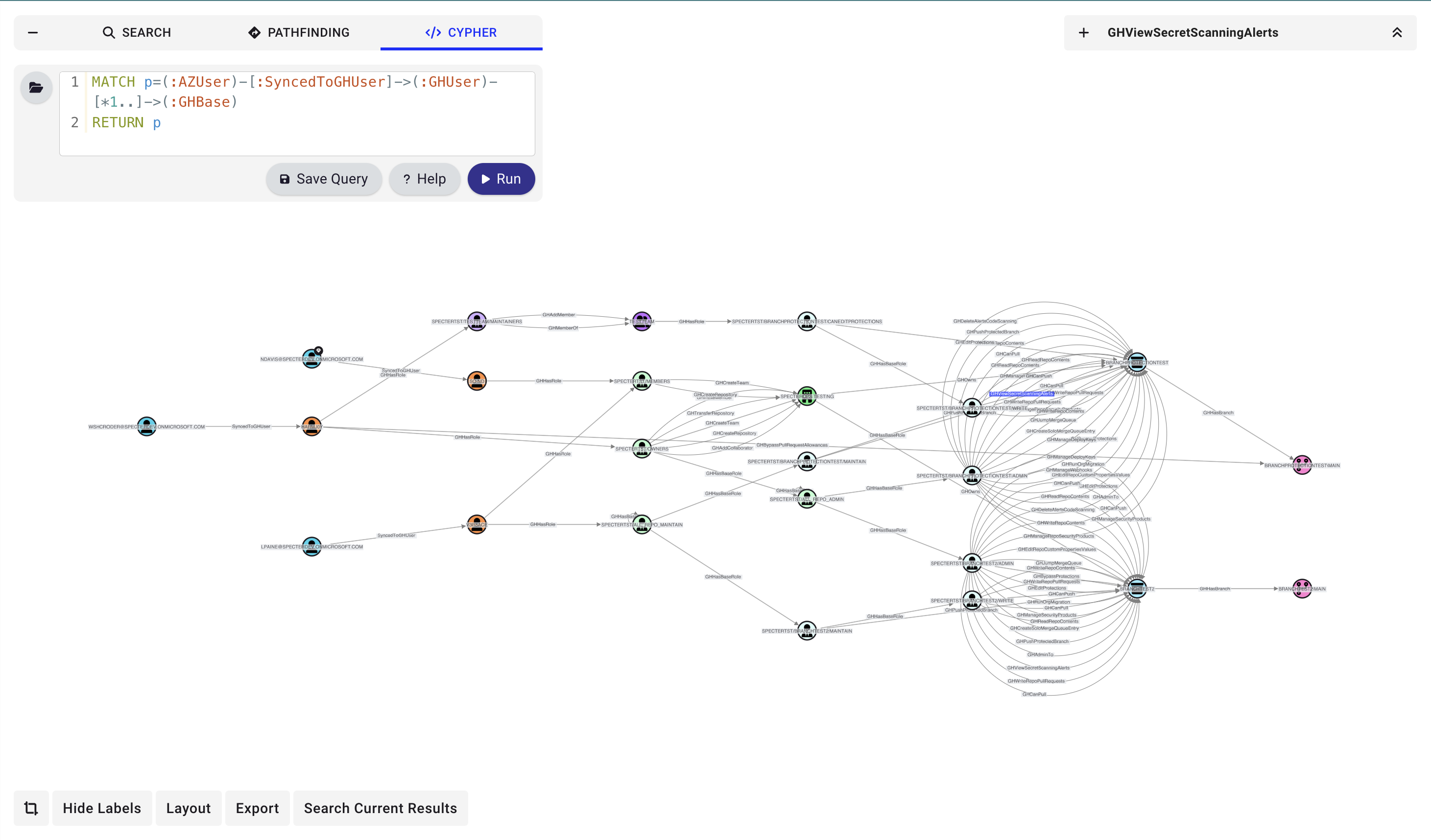
Our research on GitHub attack paths is still ongoing.
Data Collection & Privacy
GitHound is an open-source, read-only data collector. It requests only read-only permissions and never modifies your GitHub organization, repositories, or settings.What GitHound Collects
- Organization metadata and custom roles
- User accounts, team memberships, and SAML/SSO identities
- Repository details, branch protection rules, and repository roles
- GitHub Actions workflow YAML files (for trigger and permission analysis)
- Deployment environments and branch policies
- Organization and repository-level secrets and variables metadata
- Secret scanning alerts
- GitHub App installations and personal access token (PAT) grants
What GitHound Does Not Collect
- Source code content (except GitHub Actions workflow YAML files)
- Secret values or credentials
Data Storage
All collected data is stored locally on the machine running GitHound, in JSON files written to the working directory. GitHound communicates solely with the GitHub API using the credentials you provide — no data is sent to any other external service. Authentication credentials are held in memory only during collection and are never written to disk. Output files persist on your local filesystem until you delete them. For the full privacy policy, see PRIVACY.md in the GitHound repository.References
We recommend reading the following posts and pages to learn more about potential GitHub attack vectors:- SpecterOps GitHound GitHub Repository
- GitHub Documentation: Managing access to your organization
- GitHub Documentation: Security best practices
Community
Please join us in the#githound channel of the BloodHound Community Slack workspace if you want to chat about attack paths in GitHub or the usage of GitHound. You are also welcome to open an issue or pull request on GitHub.