While the Attack Paths page helps you investigate and remediate specific findings related to Attack Paths, the Posture page provides a high-level view of your organization’s security posture over time.
It aggregates Attack Path data to provide insights about where the biggest risks originate and how your remediation efforts are reducing risk.
While the Attack Paths page helps you investigate and remediate specific findings related to Attack Paths, the Posture page provides a high-level view of your organization’s security posture over time.
It aggregates Attack Path data to provide insights about where the biggest risks originate and how your remediation efforts are reducing risk.
Filters
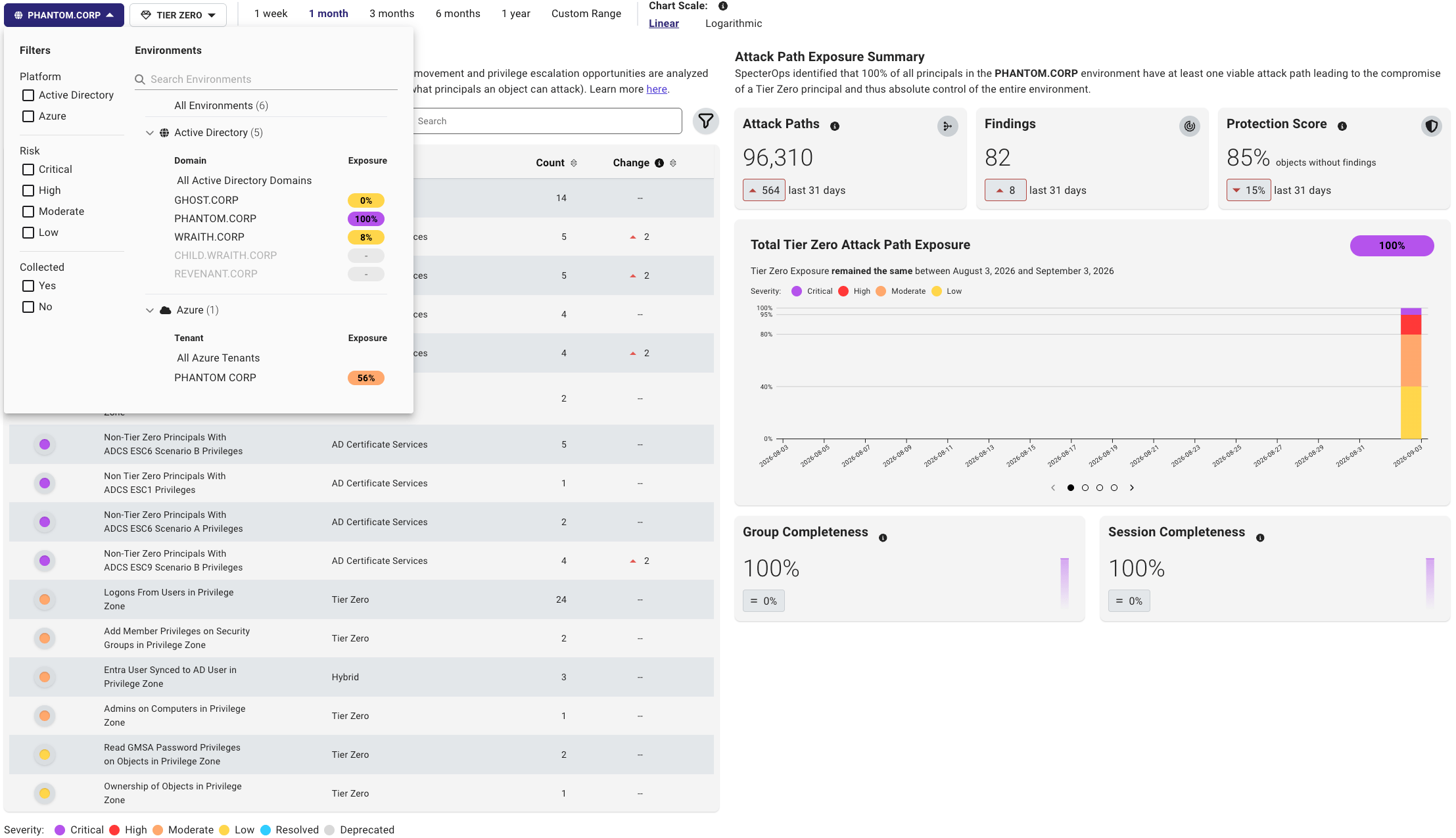
The Posture page includes filters to help you focus on specific environments and zones. You can use these filters to view and track trends over time.Environment
The environment filter allows you to view posture trends for a specific platform, such as an Active Directory domain or Azure tenant. This can help you understand how posture is changing within that environment and identify areas that may require additional attention. You can also filter on severity levels to focus on trends in high-risk Attack Paths. For example, you can filter to show only CRITICAL Attack Paths to see how the most severe risks are changing over time.Zone
The zone filter allows you to view posture trends for a specific privilege zone. By default, Tier Zero is selected, but you can choose to view findings for other zones.You can also use the zone filter to focus on findings by the category.
Date range
The date range filter allows you to compare posture trends between analysis runs. For example, you can compare the current state of your environment to a previous point in time to see how your risk posture has changed. Choose from preset ranges or set a custom range to compare specific analysis runs. Custom date ranges include a time picker, so you can set exact start and end times.Chart scale
The chart scale filter allows you to adjust the scale of the posture graphs to better visualize trends. For example, if you have a large number of findings, you may want to use a logarithmic scale to better see changes over time. The linear scale shows consistent ranges clearly, while the logarithmic scale highlights outliers and wide variations in the data.Interpreting Posture
The Posture page tracks how your risk posture changes between analysis runs. It includes several sections that show trends in attack path severity, findings, exposure, and protection over time. When reviewing posture trends, consider the following:- —Each attack path is made up of one or more relationships.
- —Each finding can be composed of one or more attack paths, so finding counts and Attack Path counts can differ.
Attack Paths
The Attack Paths table shows attack paths with active findings in the selected date range. This list can also include attack paths that were fully resolved (by your remediation efforts) or deprecated (by SpecterOps) during the same range. This table is designed for trend tracking and reporting. For per-finding details such as description, impacted principals, exposure/impact metrics, and remediation guidance, use the Attack Paths page.Count is calculated on a per-day basis. Depending on the selected date and time range, displayed counts may differ if analysis runs span day boundaries.
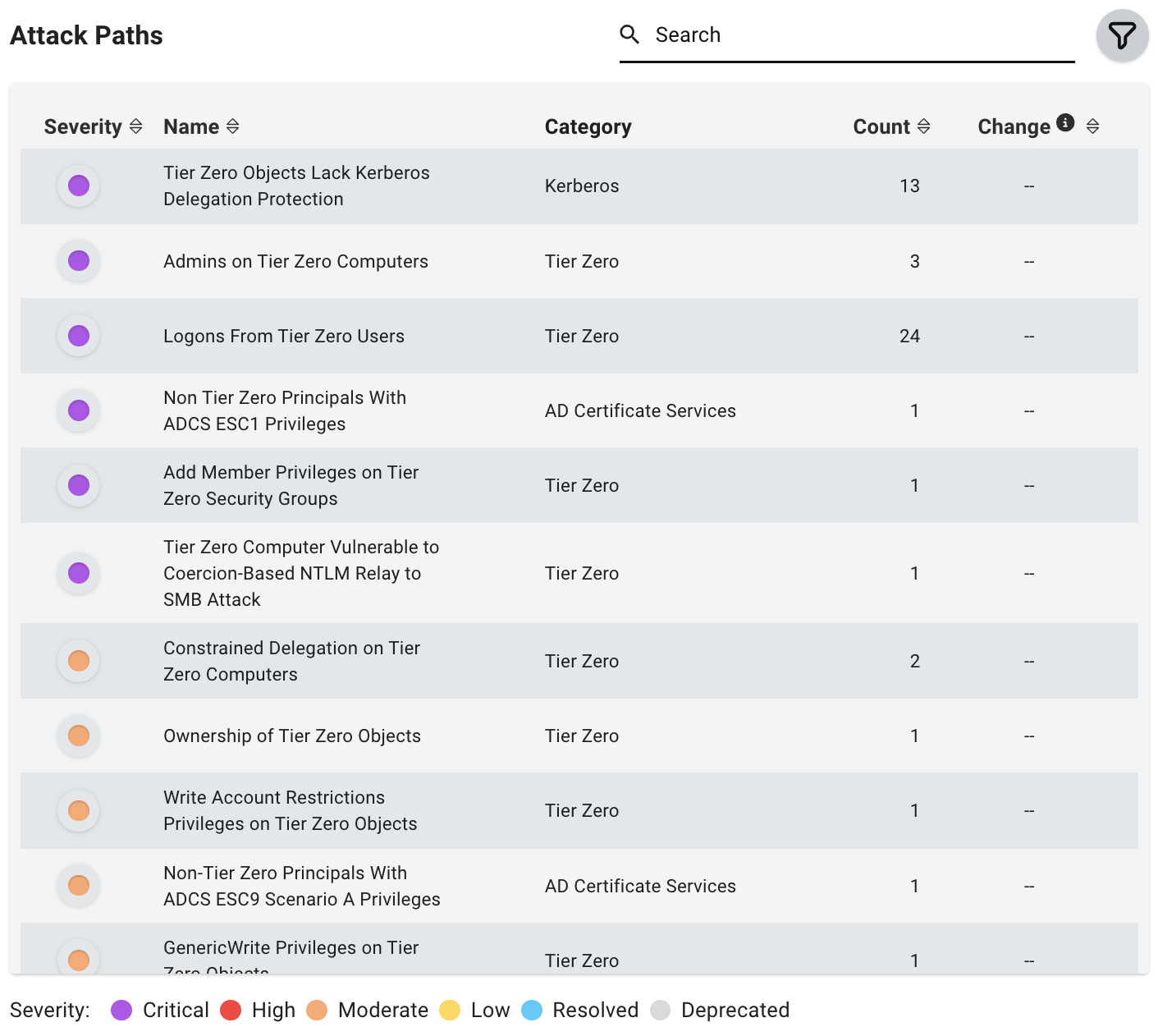
- CRITICAL: 95%-100%
- HIGH: 80%-94%
- MODERATE: 40%-79%
- LOW: 0%-39%

Attack Path Exposure Summary
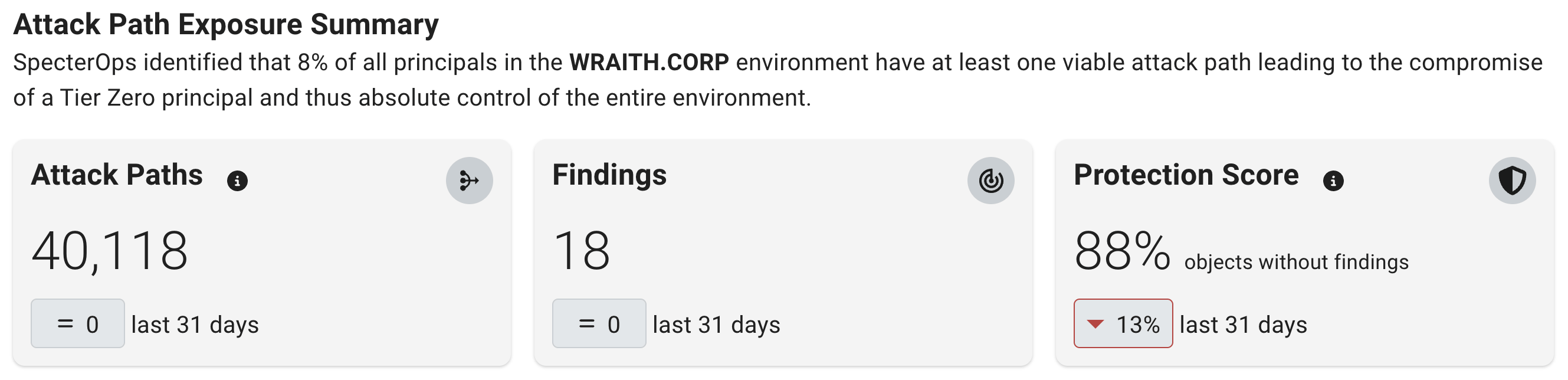
This section provides a summary of risk within the applied filter on the selected end date, including the change in Attack Paths and findings within the selected time frame.When you select a Privilege Zone, it also includes the Protection Score. The score does not appear when you select the Hygiene category from the Zone filter.
Protection Score
The Protection Score shows the percentage of objects in the selected Privilege Zone that do not have Attack Path findings. It helps you measure how much of the zone is free from identified Attack Path risk as you remediate findings.A Protection Score is available only for Privilege Zones where Attack Path analysis has run. If the card shows no score, BloodHound Enterprise has not analyzed the selected zone yet.
Posture Over Time Graphs
This series of visualizations shows posture over time based on the selected filter parameters. They provide insights about trends in exposure levels, findings, attack paths, and privilege zone objects.-
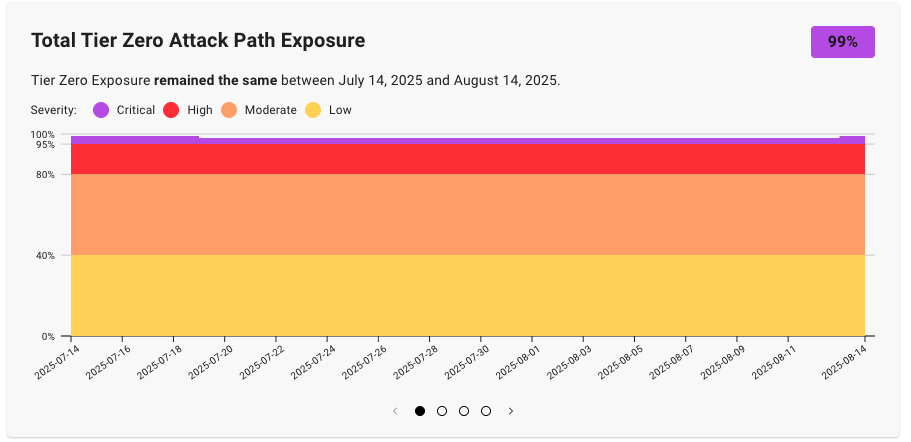
Attack Path Exposure - This graph represents the trend (by percentage) of principals within the environment (and trusted or connected environments) that can compromise the selected zone.
-
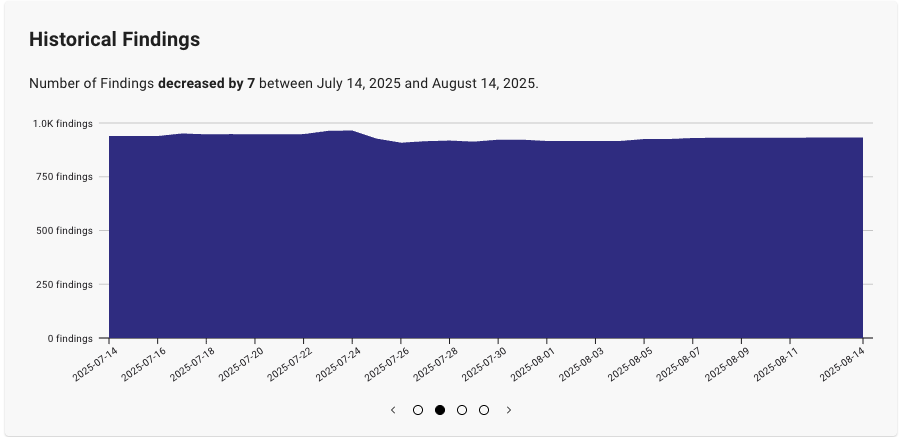
Historical Findings - This graph represents the trend (by count) in the total number of findings within the selected filter parameters.
As you remediate findings (or newly created misconfigurations generate new ones), this chart helps you track the changes in the number of identified findings over time.
-
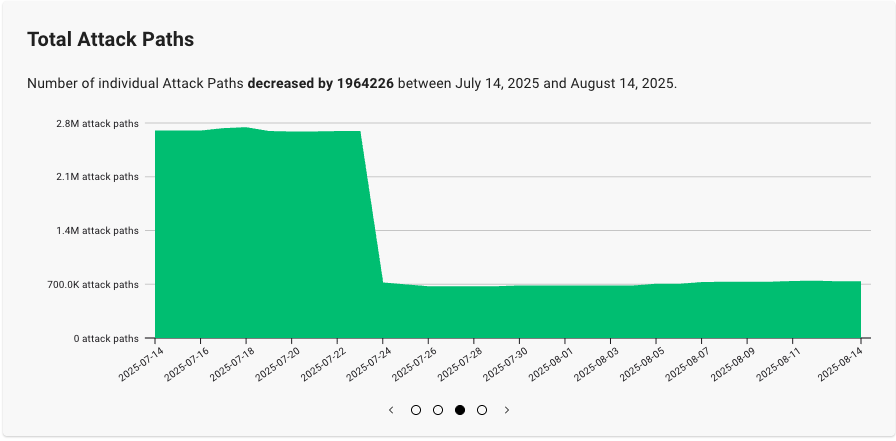
Total Attack Paths - This graph represents the trend (by count) in the total number of active Attack Paths within the selected filter parameters.
As you remediate findings that contribute to Attack Paths (or newly created misconfigurations generate new ones), this chart helps you track the changes in the total number of identified Attack Paths over time.
-
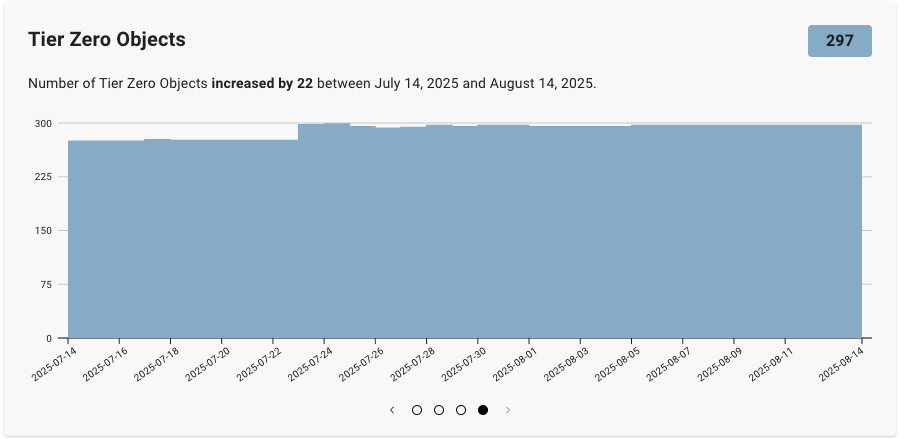
Objects - This graph represents the trend in the total number of objects in the selected zone.
As you add or remove objects from the selected zone, this chart helps you track the changes in the number of objects over time.
Completeness Graphs
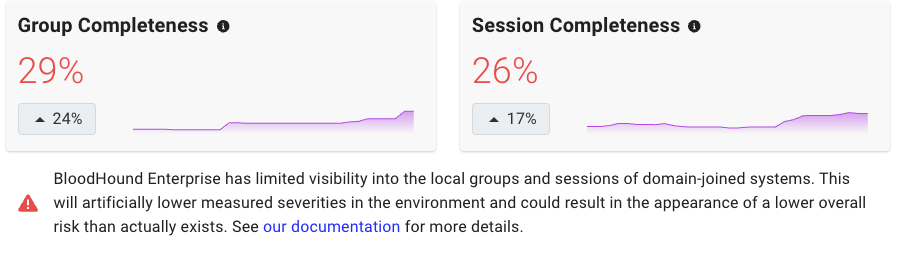
For Active Directory environments, the Group Completeness and Session Completeness graphs represent how much visibility BloodHound Enterprise has into session and local group data across active computers in your environment. BloodHound Enterprise calculates completeness as the percentage of all computers that it successfully scanned for sessions and groups. It includes only enabled computers with at least one login in the past 14 days.