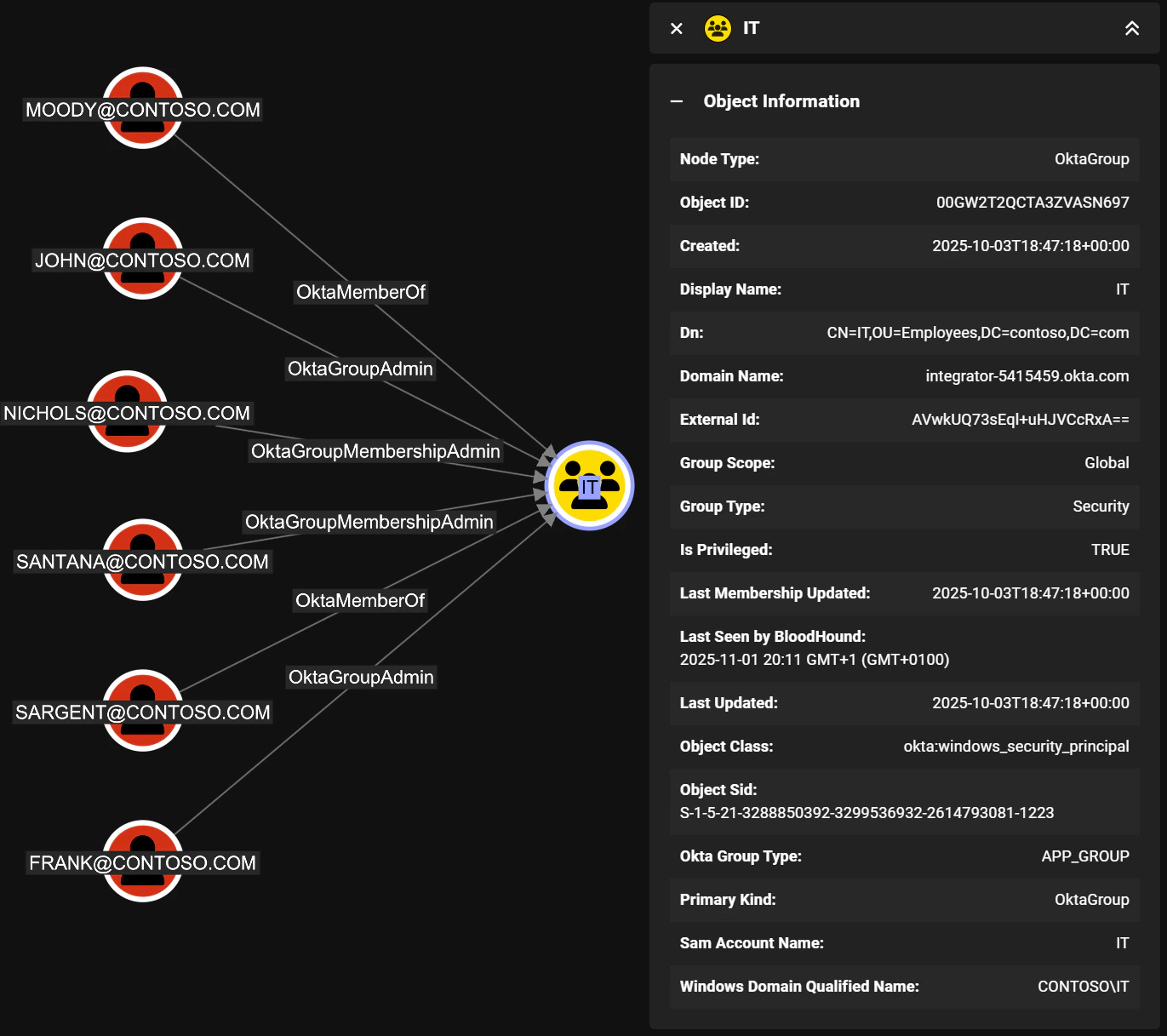
Applies to BloodHound Enterprise and CE

Overview

Groups in Okta are collections of users that can be used to manage access to applications and resources. Groups can be created manually or synchronized from external directories such as Active Directory. The built-in Everyone group always contains all users in the Okta organization. Only users can be members of groups and groups cannot be nested. Groups are represented as Okta_Group nodes in BloodHound.

Edges

The tables below list edges defined by the Okta extension only. Additional edges to or from this node may be created by other extensions.

Inbound Edges

Outbound Edges

Properties

Standard Okta group properties:
NameSourceTypeDescription
idgroup.idstringUnique group identifier.
namegroup.profile.namestringGroup name in Okta (or synchronized source).
display_namegroup.profile.namestringDisplay label used in BloodHound.
descriptiongroup.profile.descriptionstringGroup description text.
okta_domainCollector context (non-API)stringOkta organization domain where the group exists.
has_role_assignmentsCalculatedboolIndicates whether the group is assigned any administrative roles.
okta_group_typegroup.typestringGroup type (for example OKTA_GROUP, APP_GROUP, BUILT_IN).
object_classgroup.objectClass[0]stringSource object class (for example AD security principal).
createdgroup.createddatetimeGroup creation timestamp.
last_updatedgroup.lastUpdateddatetimeLast update timestamp.
last_membership_updatedgroup.lastMembershipUpdateddatetimeLast membership change timestamp.
Additional properties of groups synchronized from Active Directory:
NameSourceTypeDescription
object_sidgroup.profile.objectSidstringSecurity Identifier (SID) for the AD group.
distinguished_namegroup.profile.dnstringActive Directory distinguished name.
sam_account_namegroup.profile.samAccountNamestringSecurity Account Manager (SAM) account name.
domain_qualified_namegroup.profile.windowsDomainQualifiedNamestringDomain-qualified name of the AD group.
group_scopegroup.profile.groupScopestringAD group scope (for example global, domainLocal, universal).
group_typegroup.profile.groupTypestringAD group type, i.e., security or distribution.
object_guidBase64ToGuid(group.profile.externalId)stringAD object GUID.

Sample Property Values

Example of a group created directly in Okta:
id: 00gxg12p4kFOkyXLb697
name: Engineering
display_name: Engineering
description: Engineering department group
okta_domain: contoso.okta.com
has_role_assignments: false
okta_group_type: OKTA_GROUP
object_class: okta:user_group
created: 2025-11-14T08:00:25+00:00
last_updated: 2025-11-14T08:00:25+00:00
last_membership_updated: 2025-11-14T08:00:25+00:00
Example of a group synchronized from Active Directory:
id: 00gxga7s3yDJ71OzW697
name: Sales
display_name: Sales
description: Sales department group
okta_domain: contoso.okta.com
has_role_assignments: false
okta_group_type: APP_GROUP
object_class: okta:windows_security_principal
object_sid: S-1-5-21-71365889-924527929-2677699343-2536
distinguished_name: CN=Sales,CN=Groups,DC=contoso,DC=local
sam_account_name: Sales
domain_qualified_name: CONTOSO\Sales
group_scope: Global
group_type: Security
object_guid: 4ab65ef0-ab82-4017-b5ee-1c20facd4d6a
created: 2025-11-14T12:58:13+00:00
last_updated: 2025-11-14T13:05:44+00:00
last_membership_updated: 2025-11-14T12:58:13+00:00

Synchronization with External Directories

Similarly to users, groups can also be synchronized from external directories. The Okta API exposes the original Active Directory attributes: Group synchronized from AD Nested (transitive) group memberships in Active Directory are always flattened (resolved) when synchronized to Okta, as illustrated below: