

Privilege Zones General Availability
The Privilege Zones feature is now generally available in BloodHound, providing a supported workflow for organizing objects by privilege level and monitoring violations of your network tiering model.Property-Based Edge Matching for OpenGraph
Link nodes by unique database identifiers or dynamically match them using specific attribute values.New property-based edge matching (match_by: "property") enables hybrid edge creation using cross-system attributes, such as email, username, or hostname.Flexible OpenGraph Node Ingestion

objectid is Now a Reserved Node Property
To keep node identity unambiguous for property-based endpoint matching workflows, objectid is now reserved and may not be defined in a node’s properties object.The root-level id field already serves as the unique identifier for every node. BloodHound automatically maps this value to objectid internally upon ingestion. Remove any objectid keys from your node properties objects and rely solely on the root-level id field.Search Component Styling Consistency
Switch between the Search, Pathfinding, and Cypher tabs on the Explore page without layout shifts.Tabs now maintain a fixed width to prevent layout shifting and keep controls and content in a stable position while you work.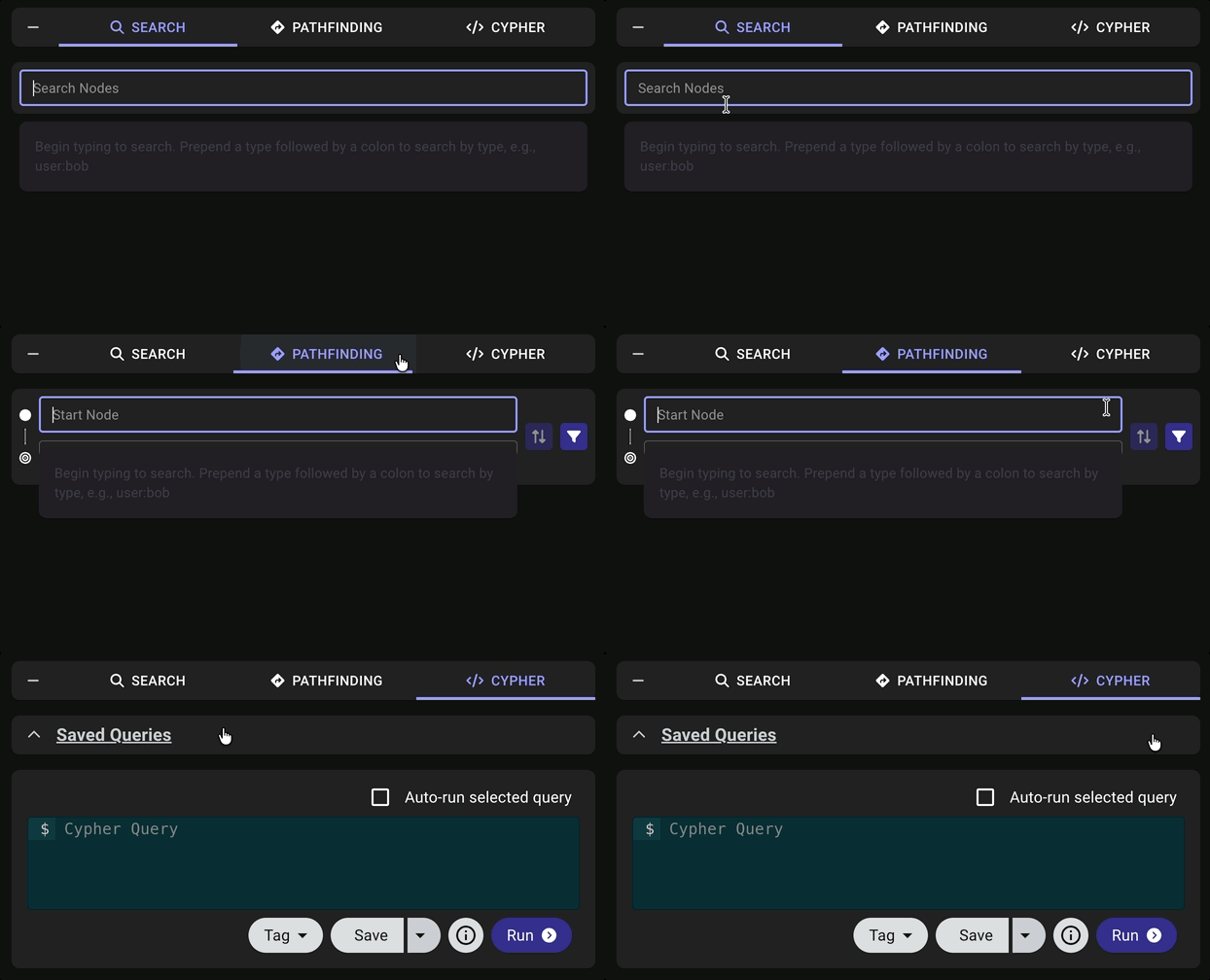
Table Layout Scrollbar Visibility
Review overflowing results in the table layout graph visualization more reliably.Scrollbars now remain visible when content overflows, so you can clearly see when more items are available in the list and keep track of your scroll position.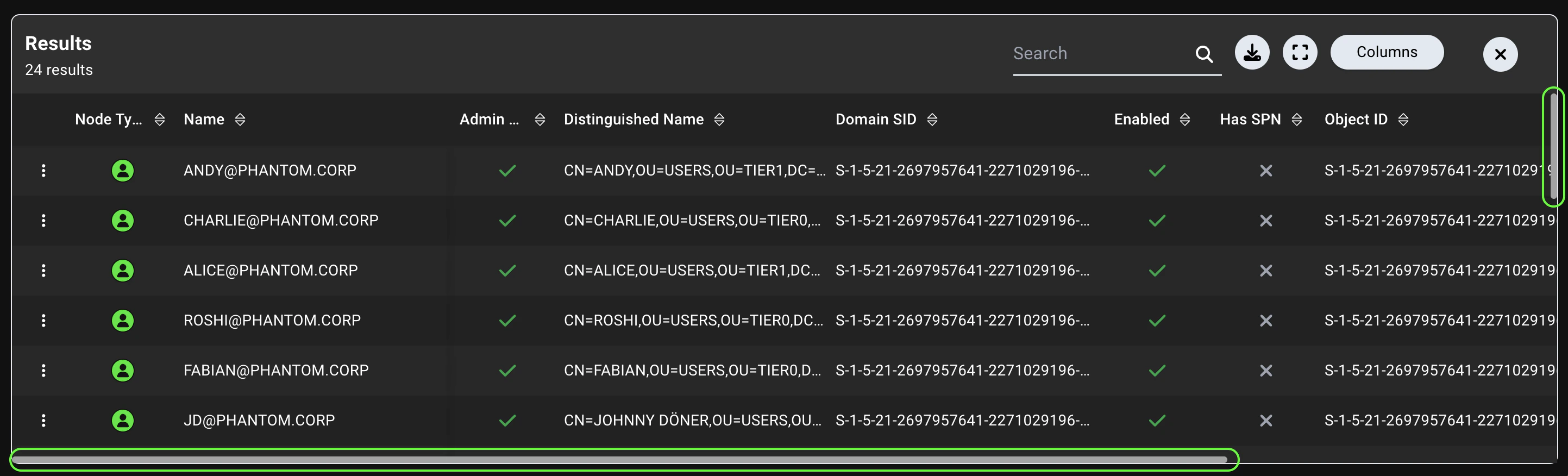
Azure Federated Identity Credentials
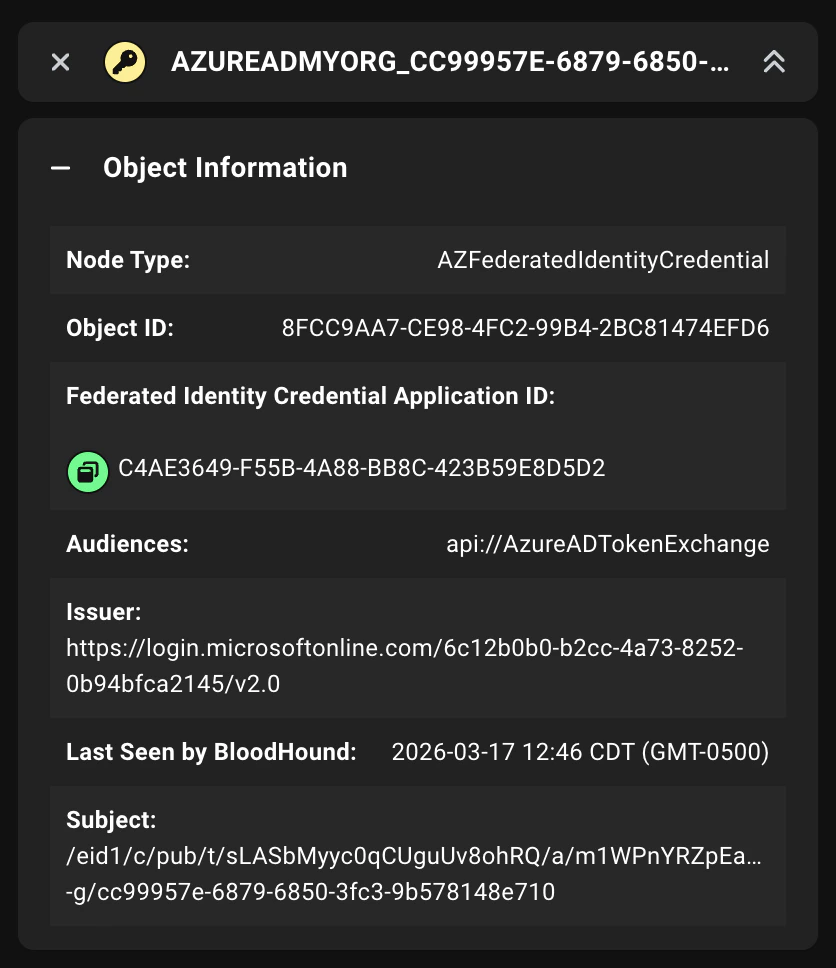
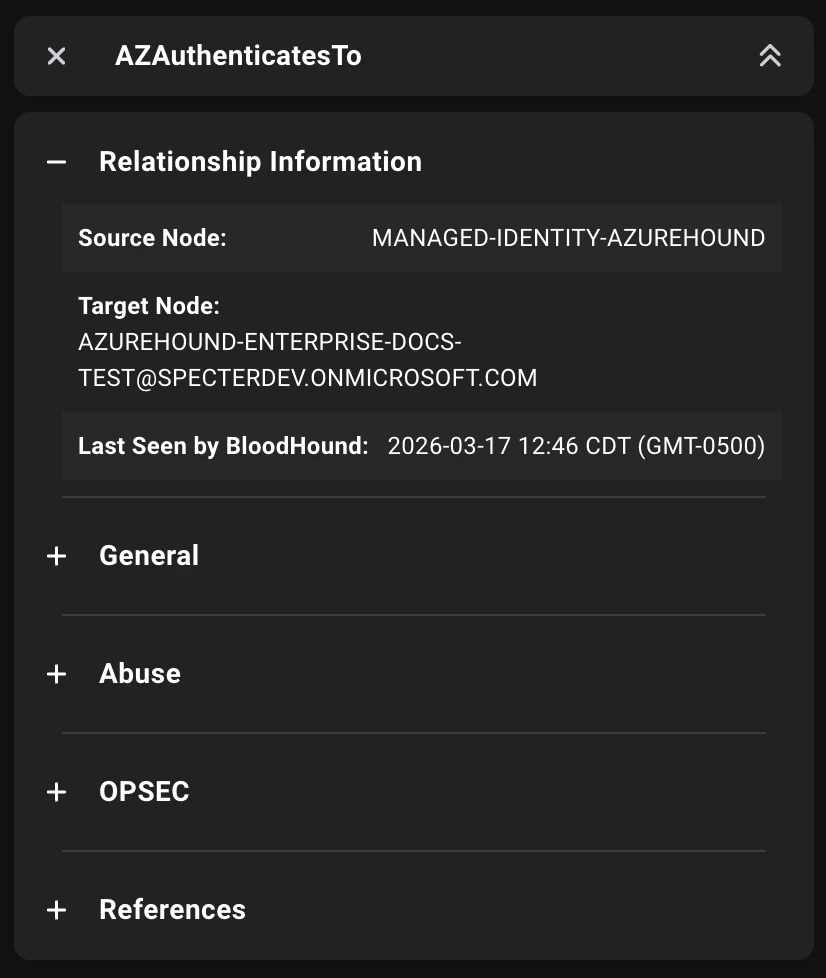
Map trust relationships from external identity providers to Azure App Registrations with new nodes and edges representing Federated Identity Credentials (FICs).An FIC is a trust configuration on an App Registration that allows an external identity provider to authenticate without a password or certificate. You can follow this trust path to the related Service Principal through AZRunsAs to understand downstream impact.AzureHound now collects FICs from Azure and adds two new graph elements in BloodHound:-
AZFederatedIdentityCredential node: Represents each FIC as an object with properties such as audiences, issuer, and subject.
-
AZAuthenticatesTo edge: Connects each FIC node to its associated App Registration so you can map trust relationships from external identity providers.
Improved Logging for NTLM Collection
Troubleshoot NTLM collection failures faster with detailed per-machine status logging.SharpHound now reports the outcome of each WMI and Remote Registry operation attempt directly in your service and run logs, eliminating guesswork about which machines rejected collection and why.- Per-attempt status events: Registry operations now emit status events for each collection attempt, immediately visible in SharpHound’s service and run logs
- Strategy visibility: Logs now expose which collection strategy (WMI or Remote Registry) succeeded for each machine
- Enhanced error details: Failure messages include inner exception information for better troubleshooting
- Port-scan optimization: Immediate success status is reported when port scanning is skipped
Fixed Issues
Cypher
- Resolved an issue where changing or deleting saved query names did not render immediately without refreshing the page.
- Resolved an issue on PostgreSQL backends where using Cypher colon syntax for multi-label node matching behaved with
ORsemantics instead of the expectedANDsemantics (for example,MATCH (n:User:Tag_Tier_Zero) RETURN n).
Zone Builder
- Resolved an issue where saving an empty object ID-based rule returned an incorrect Cypher-related error message.
- Resolved an issue where filter options on the Certifications page were not styled consistently with other filter components.
- Resolved an issue where object icons appeared unevenly spaced in the Zone and Label Details View.
- Resolved an issue where upgrade prompt text on the Zones page could wrap poorly in constrained layouts.
- Resolved multiple styling inconsistencies across spacing, borders, shadows, and overflow behavior.
Posture
- Resolved an issue where custom time range selector labels on the Posture page had low contrast in dark mode.
- Resolved an issue where sorting columns in the Attack Paths table on the Posture page could sort the wrong column.
- Resolved an issue where the tooltip for the Change column in the Attack Paths table on the Posture page did not appear on hover.
Attack Paths
Fixed Issues
Resolved an issue where the
azurehound.exe Enterprise collector was missing key Windows file properties, including product version metadata, which made it difficult for administrators to identify deployed binaries.Fixed Issues
Resolved an issue where AIACA objects with empty
cACertificate values (for example, {0}) could be skipped during collection.