

 GitHub App installations provide a higher API rate limit of 15,000 requests per hour compared to 5,000 for Personal Access Tokens(PATs).
This is the recommended authentication method for organizations with 500+ repositories.
Install the GitHub App
You can either install the pre-configured SpecterOps GitHub App (recommended) or create your own.- Install the SpecterOps GitHub App
- Create Your Own GitHub App
The SpecterOps GitHub App comes pre-configured with the minimum required permissions.
- Contact your SpecterOps representative for the GitHub App installation link.
- Select the GitHub Organization for installation.
- Review the requested permissions and click Install.
- Select All repositories or choose specific repositories.
- Click Install to complete the installation.
Get the Installation Details
- Navigate to your Organization Settings > Third-party Access > GitHub Apps.
-
Find the GitHound App and click Configure.
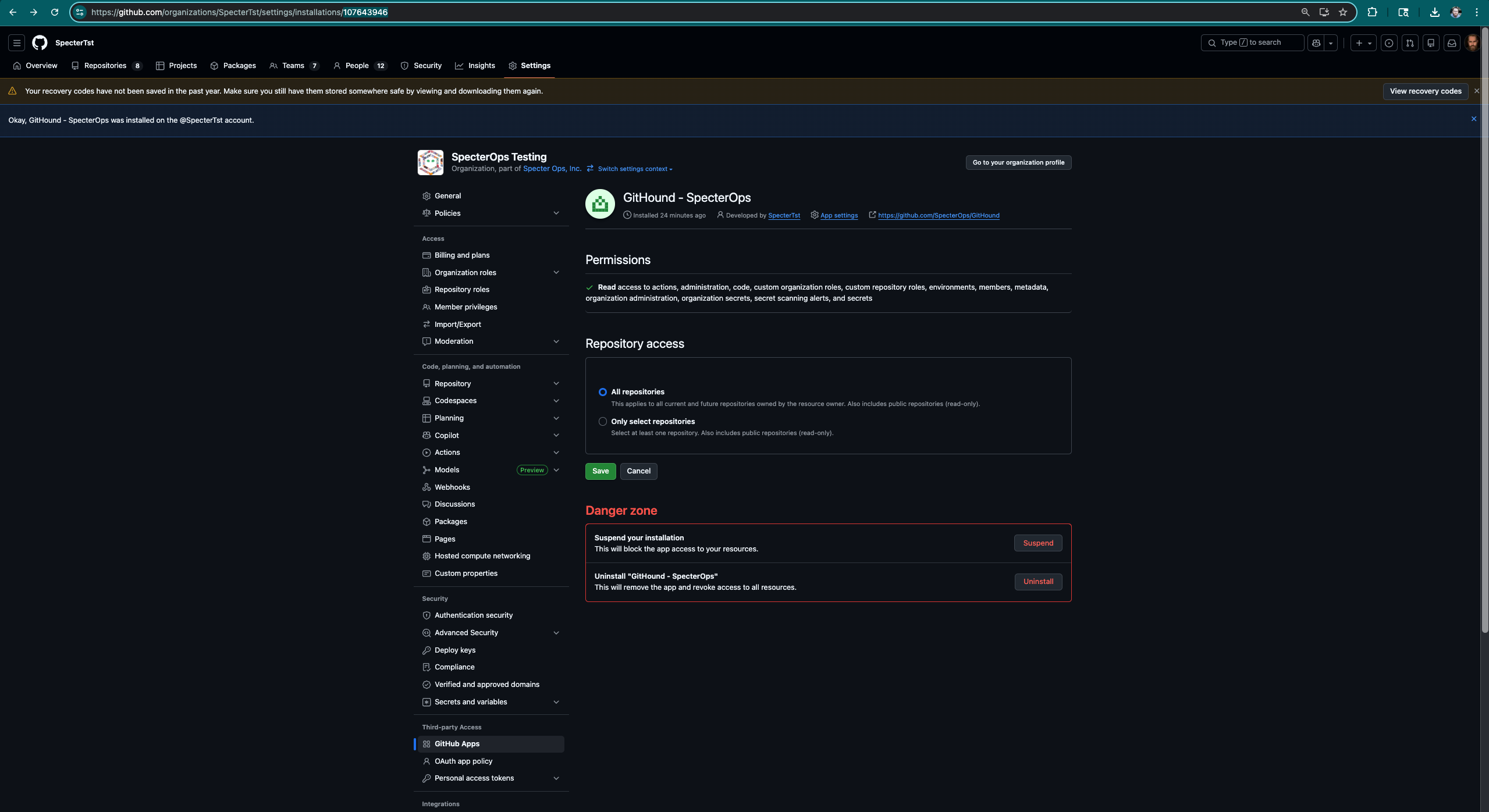
- The numeric value in the URL is the App Installation ID.
-
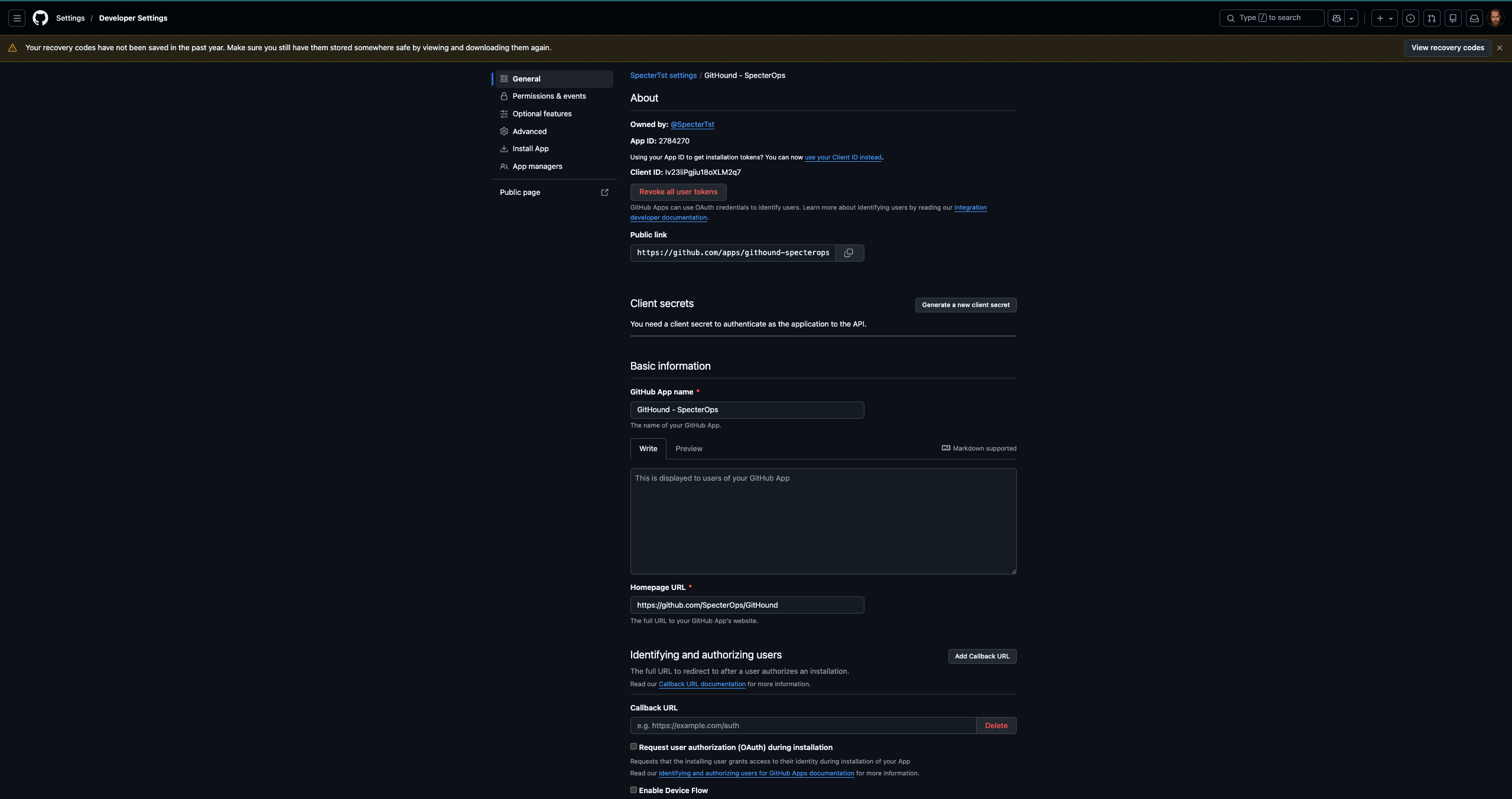
Click App settings to access the Client ID and App ID.
Security Considerations
- Store the
.pemprivate key securely and never commit it to version control. - Rotate keys periodically and revoke old ones.
- Only install the app on organizations that require collection.
- Periodically verify the app has only the minimum required permissions.