

 After installation and configuration are complete, you can view attack path findings from BloodHound Enterprise in Splunk SOAR. This allows you to monitor potential attack paths in real-time and trigger automated response playbooks based on BloodHound Enterprise detections.
To view attack path findings from BloodHound Enterprise in Splunk SOAR:
After installation and configuration are complete, you can view attack path findings from BloodHound Enterprise in Splunk SOAR. This allows you to monitor potential attack paths in real-time and trigger automated response playbooks based on BloodHound Enterprise detections.
To view attack path findings from BloodHound Enterprise in Splunk SOAR:
- Log in to your Splunk SOAR instance.
- Click the Events tab to view all polled events.
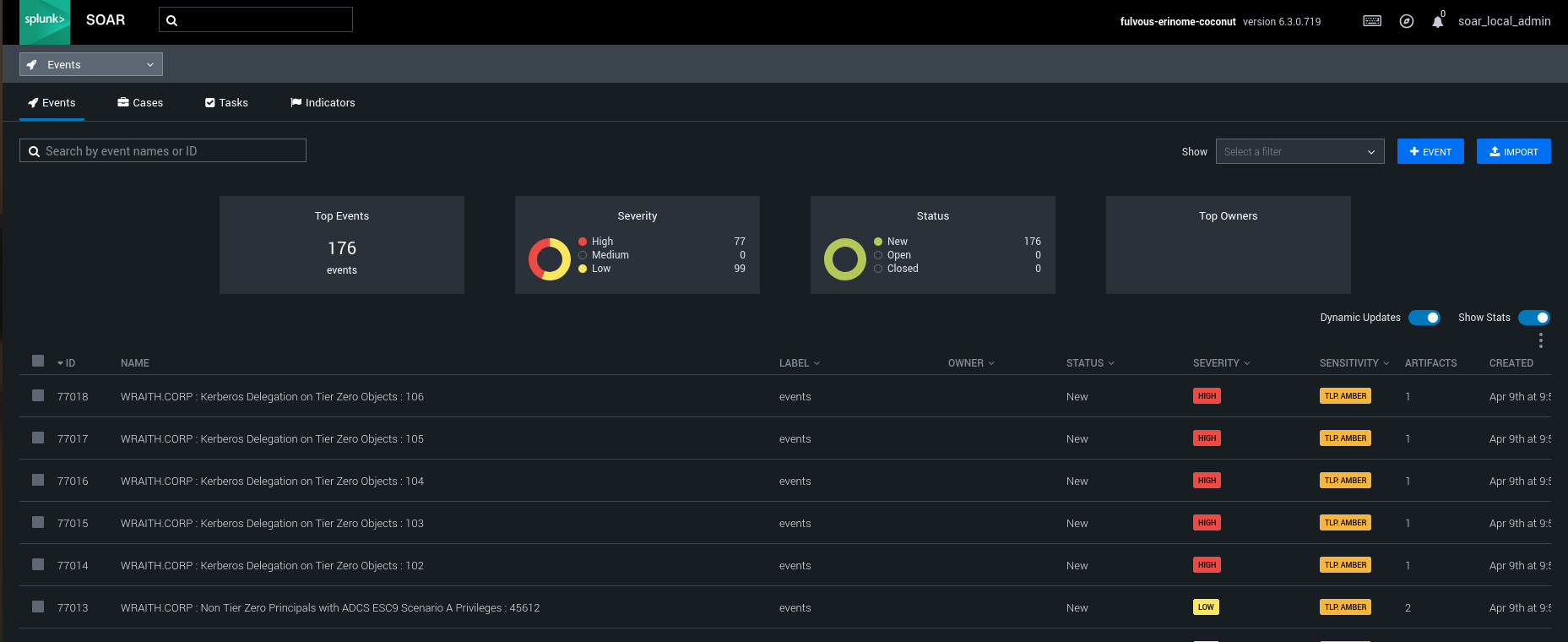
See the Splunk SOAR documentation for more information about working with events.