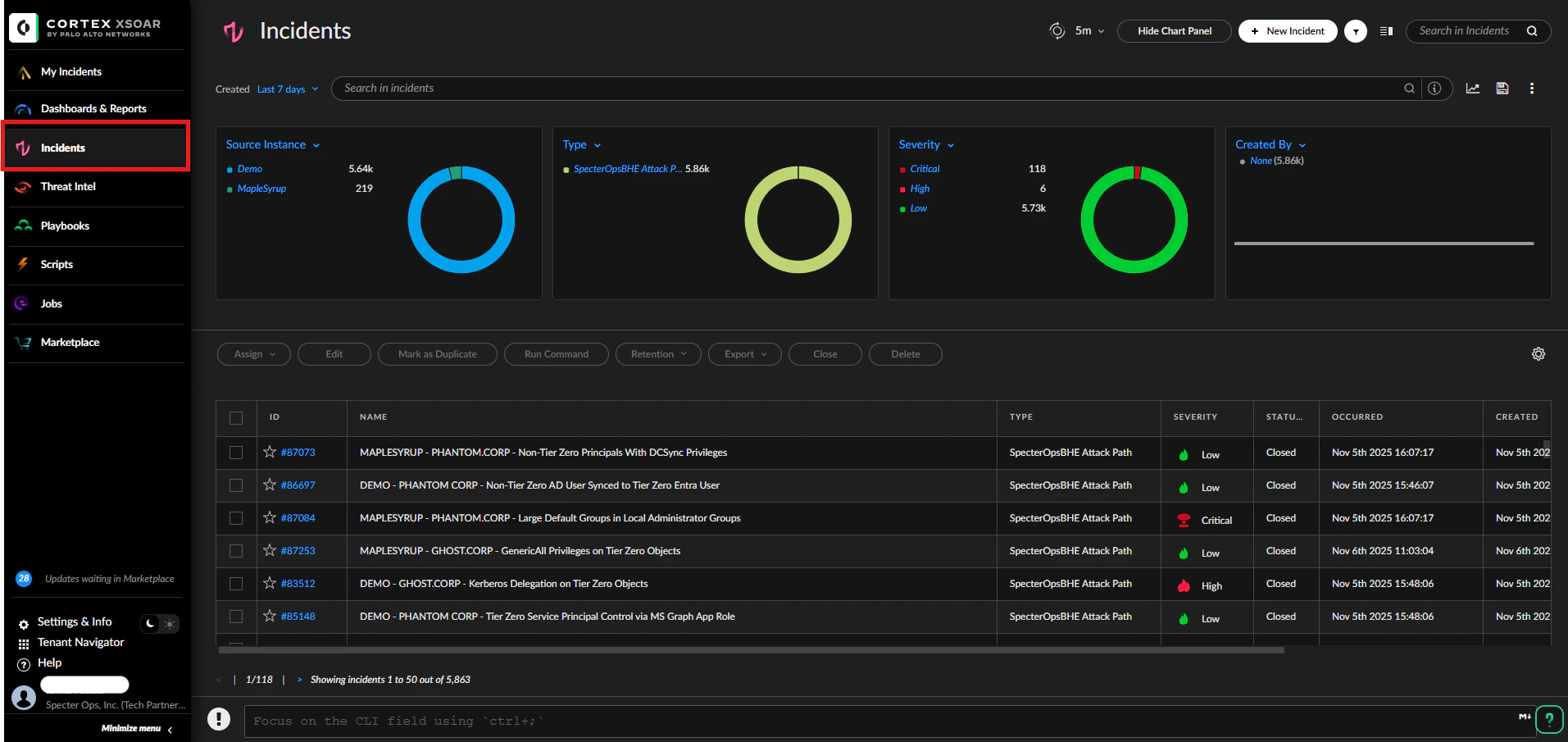
After you configure the integration, Cortex XSOAR begins fetching BloodHound Enterprise attack path findings as incidents. Use the sections below to monitor ingestion, view incidents, and inspect details.
Monitor ingestion and logs
You can view instance logs to confirm incidents are being fetched.
View incidents
Open the Incidents view to see all fetched attack path incidents.
Click any incident to open its details.
Incident details
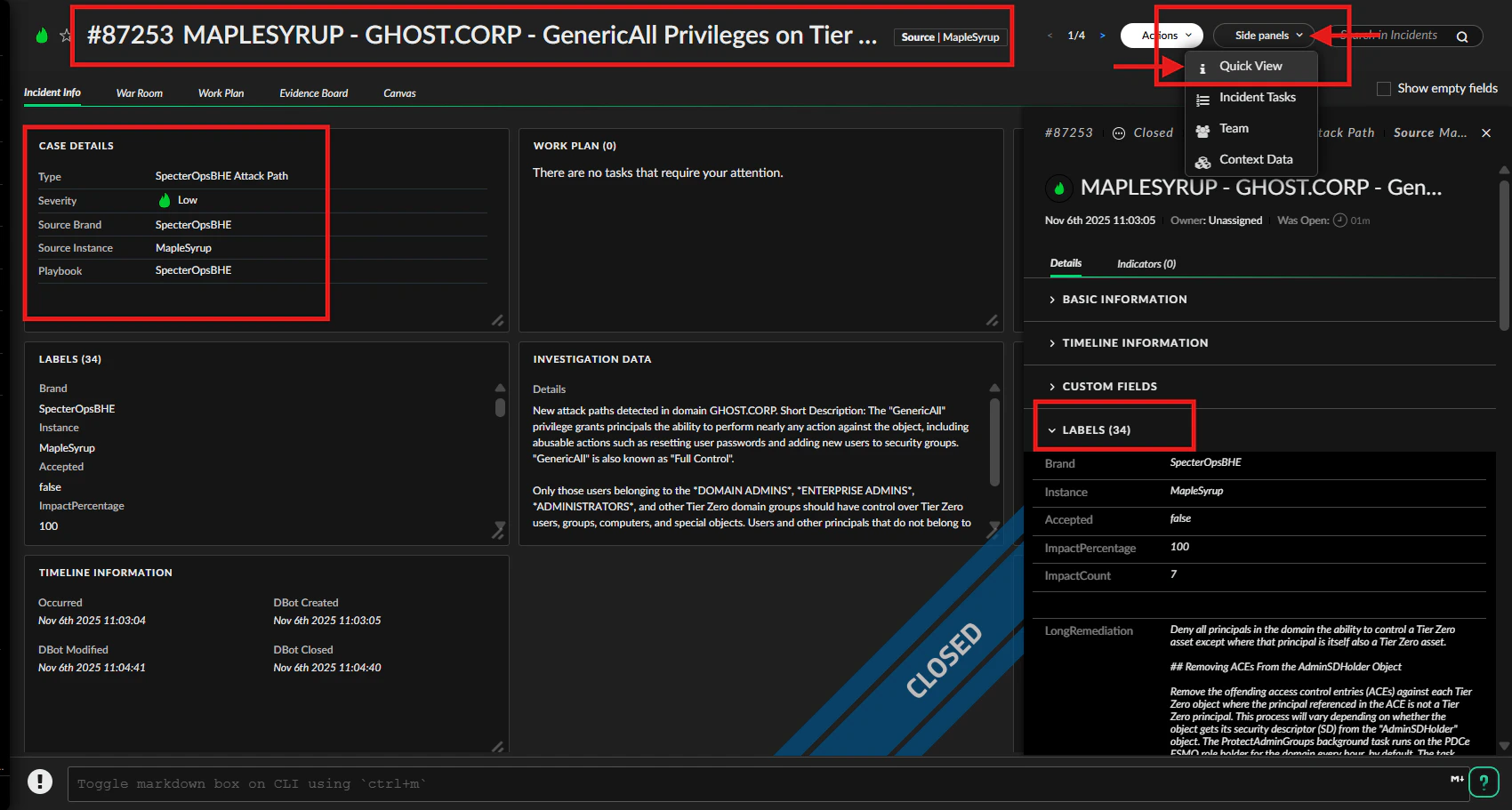
The incident details page includes key information about the attack path and related context:
- Incident name and ID
- Case details
- Quick View side panel with labels containing attack path data
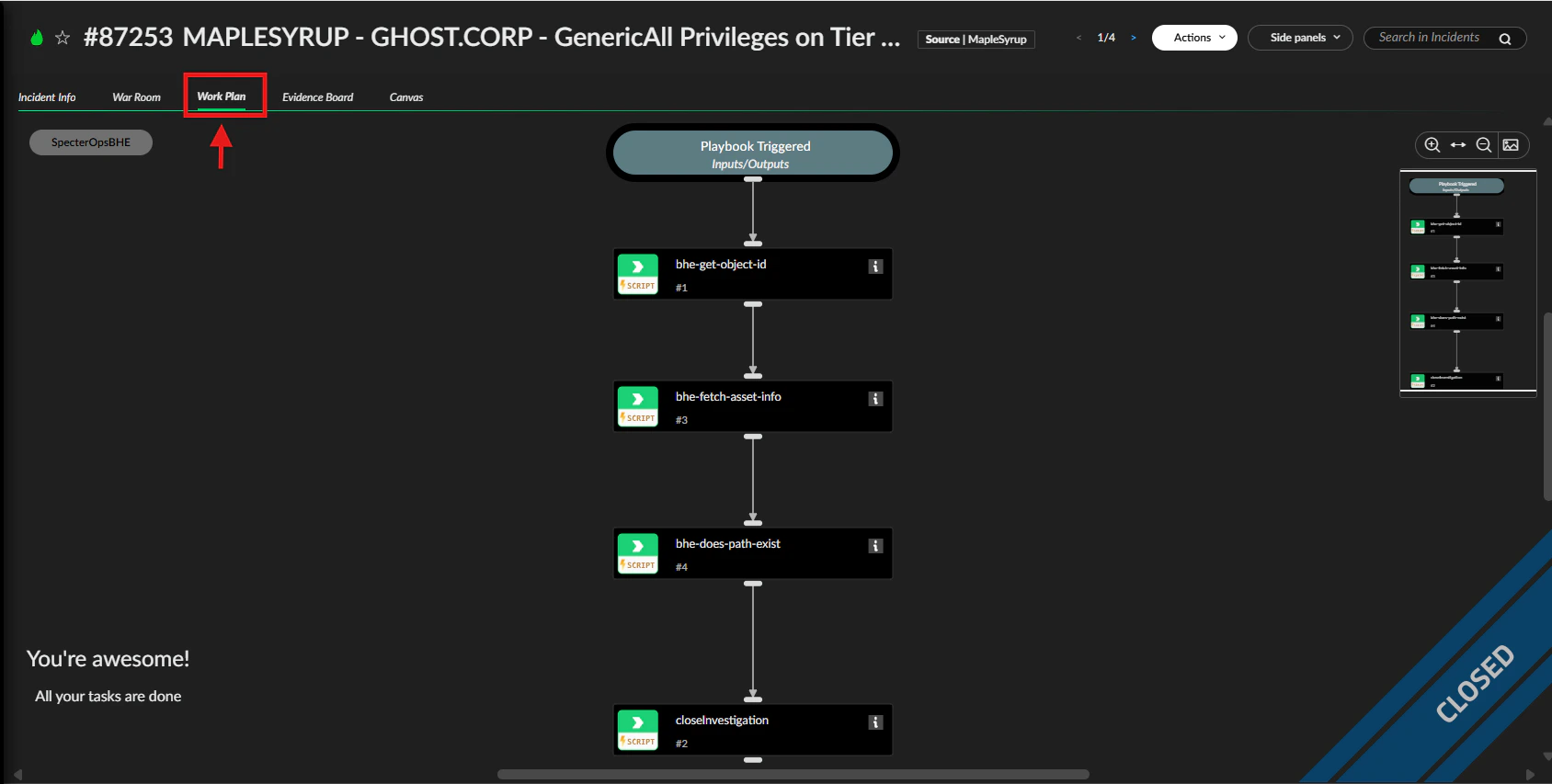
Work Plan and playbook
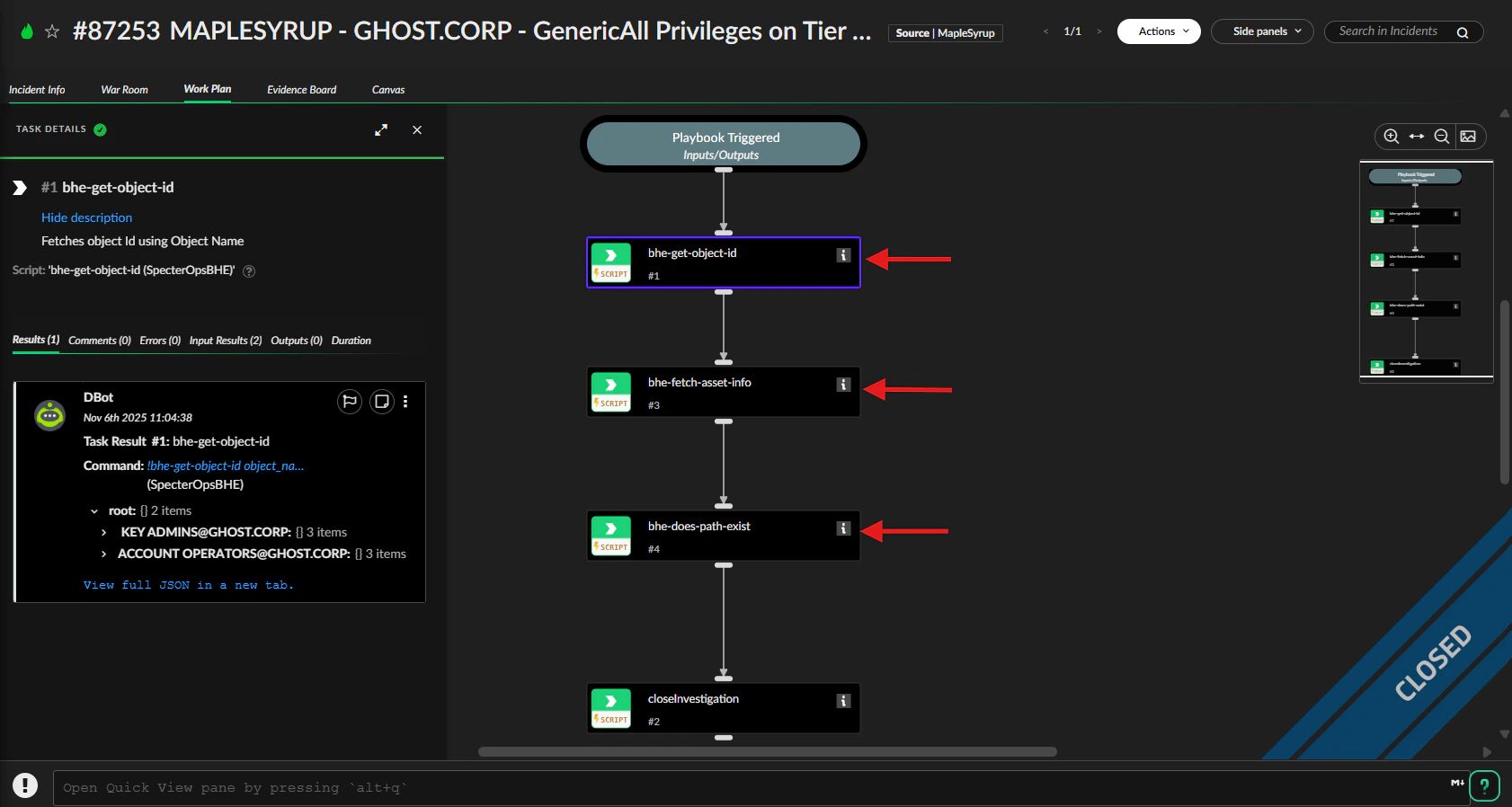
Click the Work Plan tab to view the playbook. The SpecterOpsBHE playbook runs custom commands to retrieve object-related information and analyze attack paths. You can click each task or script to view its results.
DBot panel
Use the DBot panel to review execution context and results. Locate the root section and expand it to see underlying data and command outputs related to the incident.