> ## Documentation Index
> Fetch the complete documentation index at: https://bloodhound.specterops.io/llms.txt
> Use this file to discover all available pages before exploring further.
# 2026-03-04 Release Notes
> Learn about new features, enhancements, and fixed issues in BloodHound.
| | | | |
| ----------- | -------------- | -------------- | -------------- |
| **Release** | **BloodHound** | **SharpHound** | **AzureHound** |
| 2026-03-04 | v8.7.0 | v2.10.0 | v2.10.0 |
Use the filters on the right side of this page to narrow down the updates by component. You can select multiple filters at the same time to refine your results.
## Table Column Resizing
{/*BED-7355, BED-7055*/} Resize table columns to review data more comfortably.
BloodHound now allows you to adjust column widths in the [table layout](/analyze-data/explore/search#table) graph visualization so you can view data on smaller screens without changing your window size.
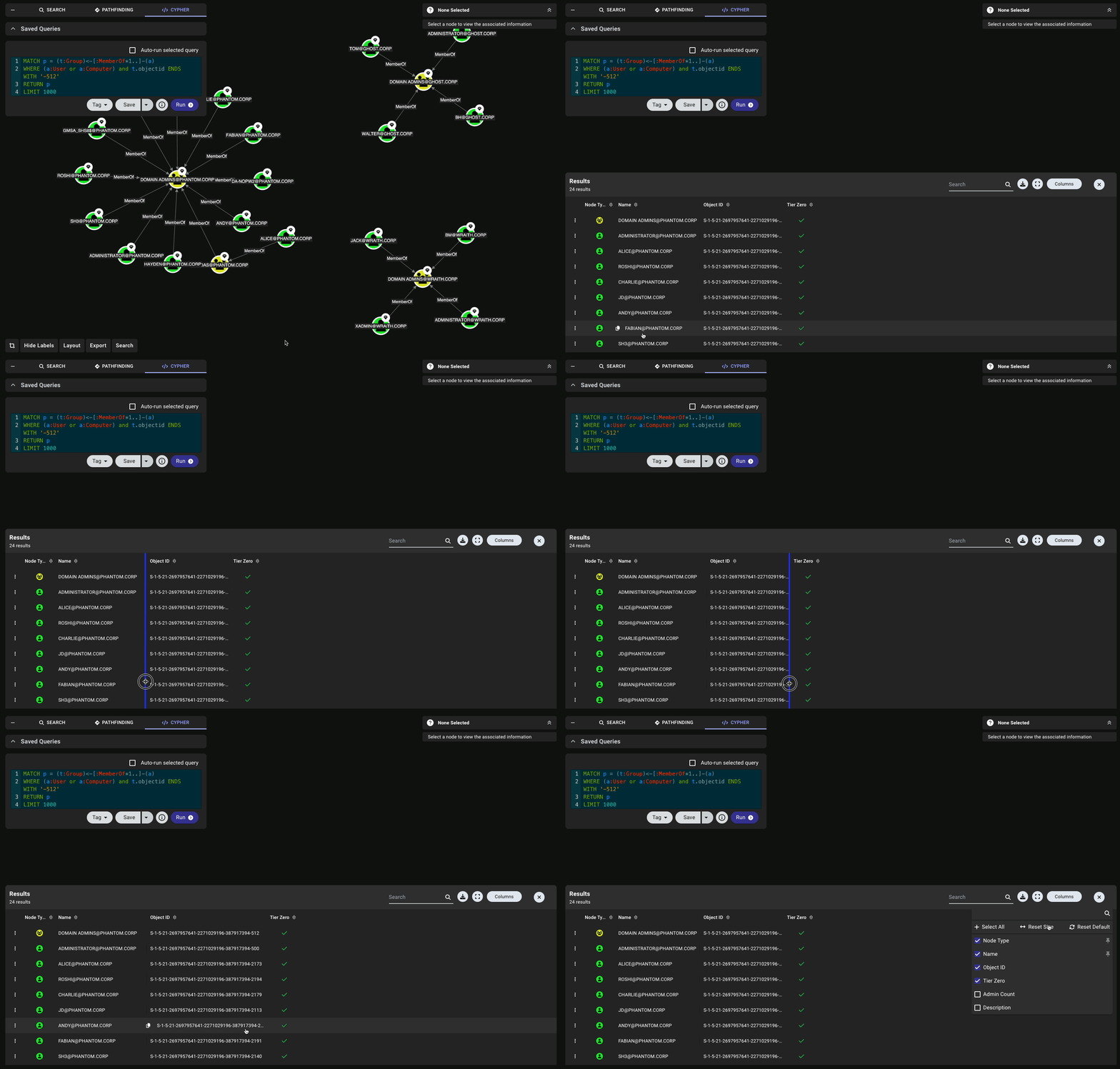 You can also resize table columns on the [Certifications](/analyze-data/privilege-zones/certification) page, which can be helpful for viewing full object names.
## Meta Node Information in Entity Panel
You can also resize table columns on the [Certifications](/analyze-data/privilege-zones/certification) page, which can be helpful for viewing full object names.
## Meta Node Information in Entity Panel
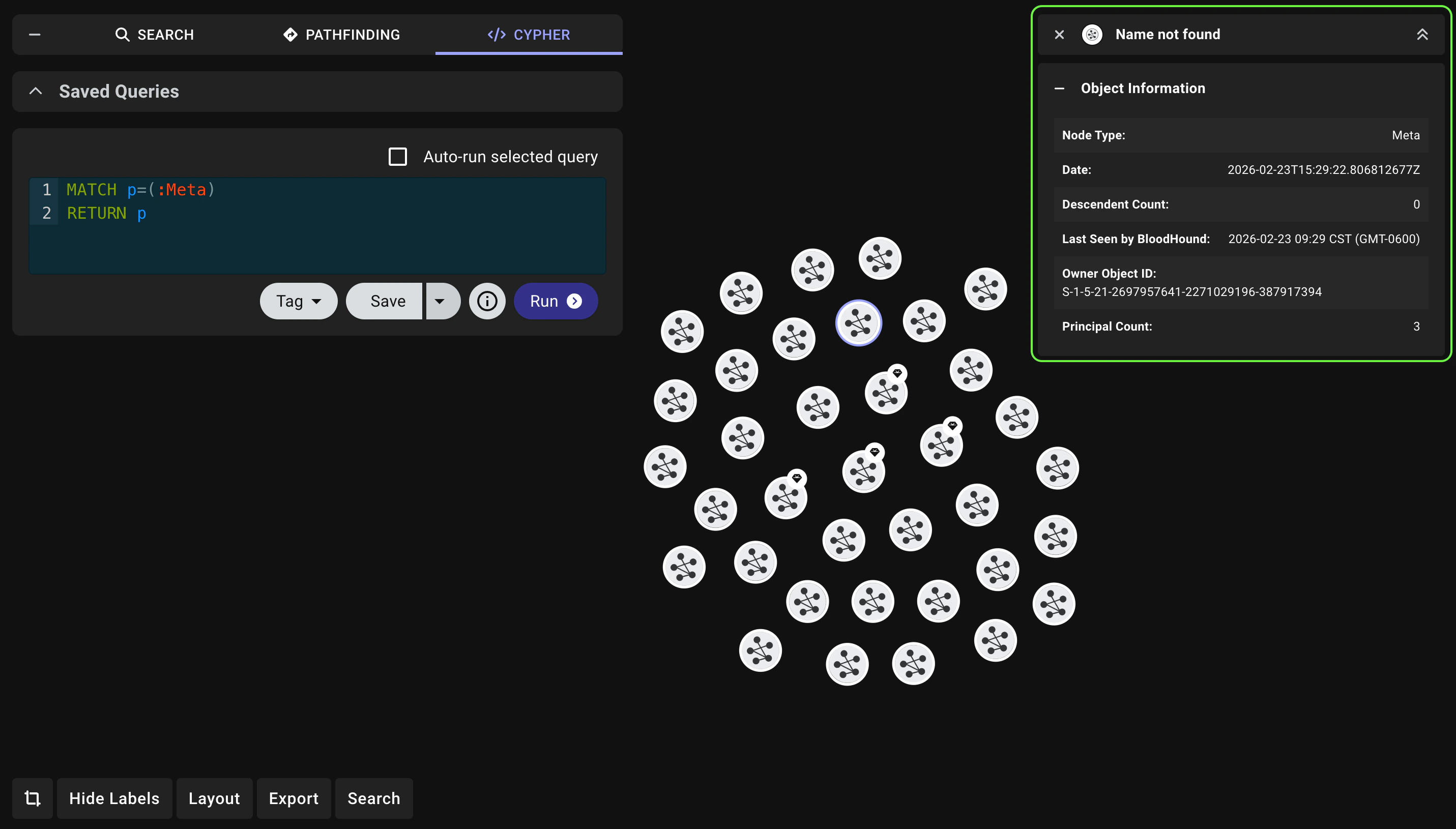
 Review Meta node information without encountering errors.
BloodHound Enterprise now displays [Meta](/resources/nodes/meta) node information in the **Entity Panel** for more consistent context. You may encounter these nodes in the graph after running some [Cypher queries](/analyze-data/explore/cypher-search).
Meta nodes represent related-node groupings rather than directly collected objects. BloodHound Enterprise uses Meta nodes to map attack paths across zones and environments to enrich the graph.
Review Meta node information without encountering errors.
BloodHound Enterprise now displays [Meta](/resources/nodes/meta) node information in the **Entity Panel** for more consistent context. You may encounter these nodes in the graph after running some [Cypher queries](/analyze-data/explore/cypher-search).
Meta nodes represent related-node groupings rather than directly collected objects. BloodHound Enterprise uses Meta nodes to map attack paths across zones and environments to enrich the graph.
 ## Improved Edge Information
* {/*BED-7274*/} Review accurate, complete edge guidance in the **Entity Panel** for both [AZOwner](/resources/edges/az-owner) and [AZOwns](/resources/edges/az-owns) while you investigate the graph.
BloodHound now displays missing help text for AZOwner and aligns AZOwns content in the **Entity Panel** with the edge reference documentation.
* {/*BED-7105*/} Review clearer Entra ID role edge guidance in the **Entity Panel** while you analyze Azure attack paths.
BloodHound now standardizes Azure role edge help text to use Entra ID terminology, improves relationship details for role assignment and activation paths, and adds official Microsoft references for key role edges:
* [AZAppAdmin](/resources/edges/az-app-admin)
* [AZCloudAppAdmin](/resources/edges/az-cloud-app-admin)
* [AZGlobalAdmin](/resources/edges/az-global-admin)
* [AZHasRole](/resources/edges/az-has-role)
* [AZPrivilegedAuthAdmin](/resources/edges/az-privileged-auth-admin)
* [AZRoleApprover](/resources/edges/az-role-approver)
* [AZRoleEligible](/resources/edges/az-role-eligible)
* {/*BED-7479*/} Review valid node relationships against the new [`valid_edges.json`](https://github.com/SpecterOps/BloodHound/blob/main/schemas/valid_edges.json) schema.
BloodHound now includes a reference schema that defines valid source-target node relationships and supported edge types. This schema is intended to help improve understanding of graph data for developers and advanced users working with the BloodHound graph structure.
## Findings
{/*BED-5815*/} Resolved an issue where the exported findings CSV file contained discrepancies between accepted and unaccepted findings. The findings export now accurately reflects the status of all findings, ensuring consistency between the application and exported data.
## Zone Builder
* {/*BED-7354*/} Resolved an issue where Tier Zero tagging could run before post-processing, causing objects tied to post-processed edges to be tagged only on the next analysis run.
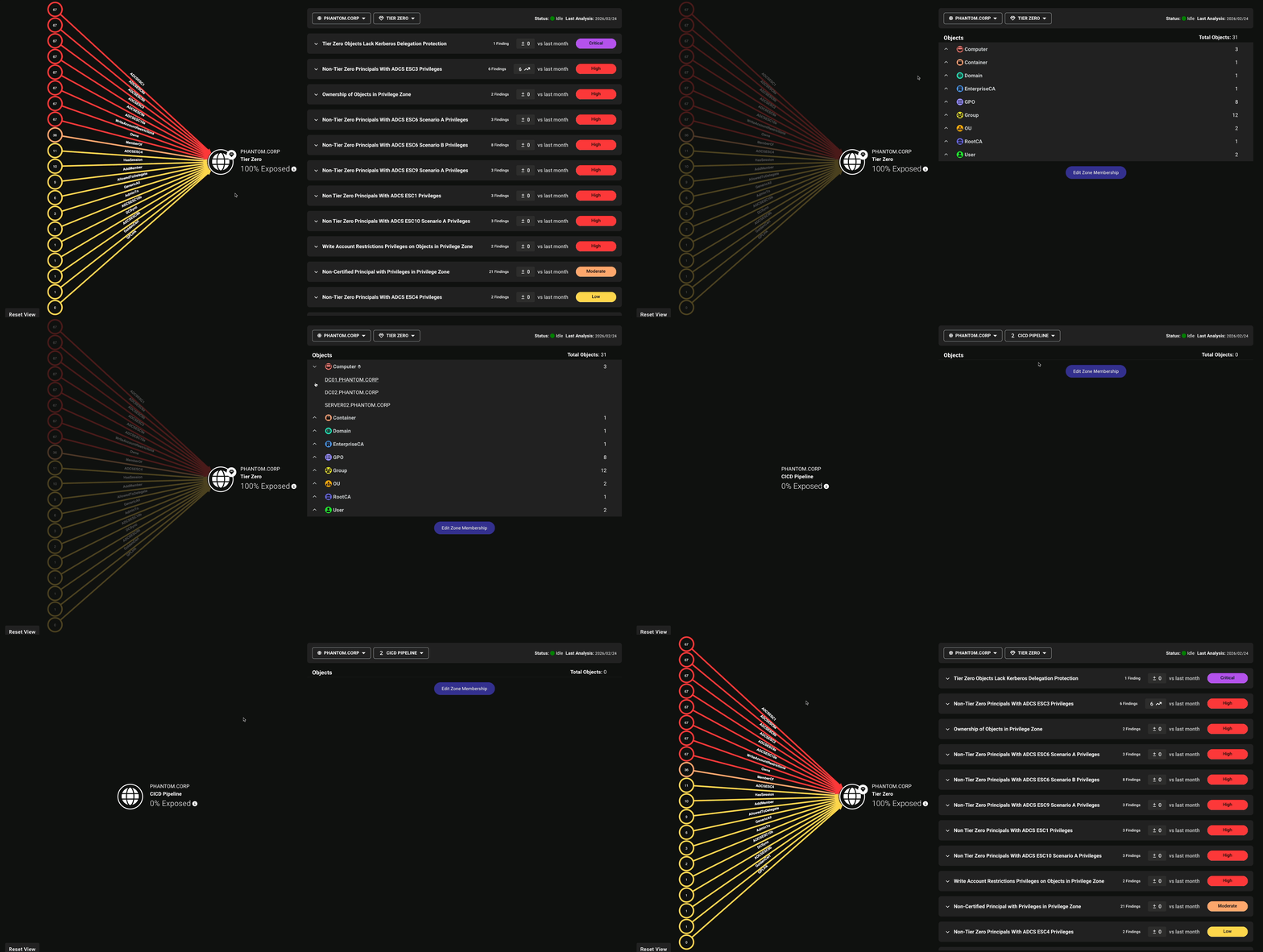
* {/*BED-6661*/} Resolved an issue where selecting the (globe) icon in the graph on the **Attack Paths** page displayed Tier Zero objects in the **Zone Membership Panel** after selecting a different zone in the filter dropdown. The panel now shows objects from the selected environment and zone only.
## Improved Edge Information
* {/*BED-7274*/} Review accurate, complete edge guidance in the **Entity Panel** for both [AZOwner](/resources/edges/az-owner) and [AZOwns](/resources/edges/az-owns) while you investigate the graph.
BloodHound now displays missing help text for AZOwner and aligns AZOwns content in the **Entity Panel** with the edge reference documentation.
* {/*BED-7105*/} Review clearer Entra ID role edge guidance in the **Entity Panel** while you analyze Azure attack paths.
BloodHound now standardizes Azure role edge help text to use Entra ID terminology, improves relationship details for role assignment and activation paths, and adds official Microsoft references for key role edges:
* [AZAppAdmin](/resources/edges/az-app-admin)
* [AZCloudAppAdmin](/resources/edges/az-cloud-app-admin)
* [AZGlobalAdmin](/resources/edges/az-global-admin)
* [AZHasRole](/resources/edges/az-has-role)
* [AZPrivilegedAuthAdmin](/resources/edges/az-privileged-auth-admin)
* [AZRoleApprover](/resources/edges/az-role-approver)
* [AZRoleEligible](/resources/edges/az-role-eligible)
* {/*BED-7479*/} Review valid node relationships against the new [`valid_edges.json`](https://github.com/SpecterOps/BloodHound/blob/main/schemas/valid_edges.json) schema.
BloodHound now includes a reference schema that defines valid source-target node relationships and supported edge types. This schema is intended to help improve understanding of graph data for developers and advanced users working with the BloodHound graph structure.
## Findings
{/*BED-5815*/} Resolved an issue where the exported findings CSV file contained discrepancies between accepted and unaccepted findings. The findings export now accurately reflects the status of all findings, ensuring consistency between the application and exported data.
## Zone Builder
* {/*BED-7354*/} Resolved an issue where Tier Zero tagging could run before post-processing, causing objects tied to post-processed edges to be tagged only on the next analysis run.
* {/*BED-6661*/} Resolved an issue where selecting the (globe) icon in the graph on the **Attack Paths** page displayed Tier Zero objects in the **Zone Membership Panel** after selecting a different zone in the filter dropdown. The panel now shows objects from the selected environment and zone only.
 ## Explore
{/*BED-7273*/} Resolved an issue where the name of the *Computers with membership in Protected Users* [prebuilt Cypher query](/analyze-data/explore/cypher-search) did not match its results. The query now appears as *All members of Protected Users* to more accurately reflect the objects it returns.
## Explore
{/*BED-7273*/} Resolved an issue where the name of the *Computers with membership in Protected Users* [prebuilt Cypher query](/analyze-data/explore/cypher-search) did not match its results. The query now appears as *All members of Protected Users* to more accurately reflect the objects it returns.