> ## Documentation Index
> Fetch the complete documentation index at: https://bloodhound.specterops.io/llms.txt
> Use this file to discover all available pages before exploring further.
# OpenGraph Graph Theory
> Attack Graph Model Design Requirements and Examples
 # Introduction
For several years, one of the biggest pain-points with contributing to BloodHound has been in getting nodes and edges ingested and correctly displayed in the GUI. BloodHound OpenGraph changes that. Now it is easy for anyone to add nodes and edges into BloodHound through the easy-to-use `/file-upload/` endpoint.
However, while the process of adding nodes and edges to the product is greatly simplified, the product will not function as expected without a well-designed attack graph model. This document seeks to educate users on attack graph model design theory, best-practices, and requirements.
An attack graph is a tool - a powerful force multiplier when wielded correctly, a frustrating and confusing hazard when not. This document aims to equip you with the knowledge and skills necessary to effectively wield this tool.
# Basic Attack Graph Vocabulary and Design Theory
Graphs are [well-understood](https://en.wikipedia.org/wiki/Graph_%28discrete_mathematics%29), well-studied mathematical constructs. You can find thousands of guides, tools, and academic papers that make use of graphs. This document will not replace a proper education or time spent working with graphs. But in this section we will touch on the most fundamental aspects of a graph you must understand in order to effectively get BloodHound to work with your nodes and edges.
Every graph is constructed from two fundamental components: vertices (nodes) and edges (relationships):
# Introduction
For several years, one of the biggest pain-points with contributing to BloodHound has been in getting nodes and edges ingested and correctly displayed in the GUI. BloodHound OpenGraph changes that. Now it is easy for anyone to add nodes and edges into BloodHound through the easy-to-use `/file-upload/` endpoint.
However, while the process of adding nodes and edges to the product is greatly simplified, the product will not function as expected without a well-designed attack graph model. This document seeks to educate users on attack graph model design theory, best-practices, and requirements.
An attack graph is a tool - a powerful force multiplier when wielded correctly, a frustrating and confusing hazard when not. This document aims to equip you with the knowledge and skills necessary to effectively wield this tool.
# Basic Attack Graph Vocabulary and Design Theory
Graphs are [well-understood](https://en.wikipedia.org/wiki/Graph_%28discrete_mathematics%29), well-studied mathematical constructs. You can find thousands of guides, tools, and academic papers that make use of graphs. This document will not replace a proper education or time spent working with graphs. But in this section we will touch on the most fundamental aspects of a graph you must understand in order to effectively get BloodHound to work with your nodes and edges.
Every graph is constructed from two fundamental components: vertices (nodes) and edges (relationships):
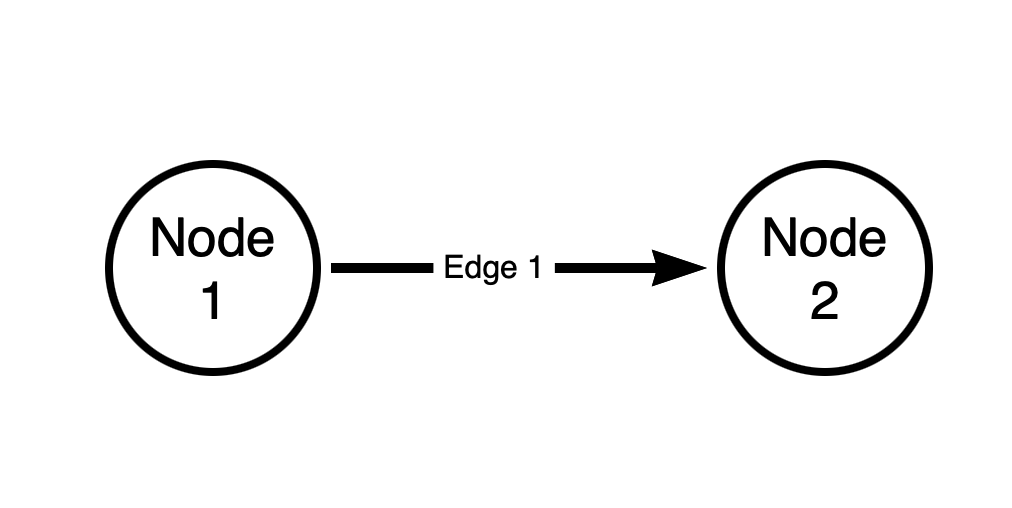 The above graph has two nodes and one edge. The edge is **directed**. The source node of the edge is “Node 1”. The destination node of the edge is “Node 2”.
**Every** edge in a BloodHound attack graph is **directed**, and is **one-way**. There are no bi-directional (“two-way”) edges in a BloodHound graph.
In a BloodHound attack graph, the direction of the **edge** must match the direction of **access** or **attack**. Let's look at an example with Active Directory group memberships.
In the BloodHound attack graph, we model Active Directory security group memberships like this:
The above graph has two nodes and one edge. The edge is **directed**. The source node of the edge is “Node 1”. The destination node of the edge is “Node 2”.
**Every** edge in a BloodHound attack graph is **directed**, and is **one-way**. There are no bi-directional (“two-way”) edges in a BloodHound graph.
In a BloodHound attack graph, the direction of the **edge** must match the direction of **access** or **attack**. Let's look at an example with Active Directory group memberships.
In the BloodHound attack graph, we model Active Directory security group memberships like this:
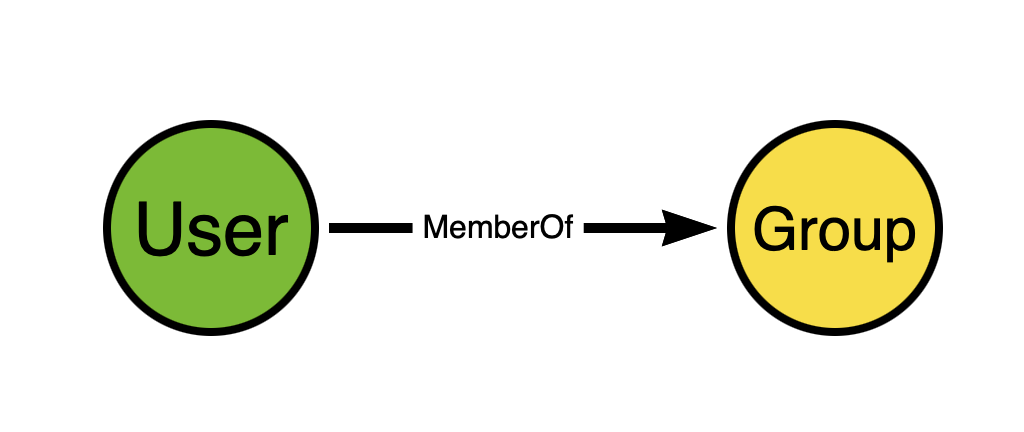 Think about the direction of the edge. Now think for a moment and try to figure out why we don't model AD security group memberships like this instead:
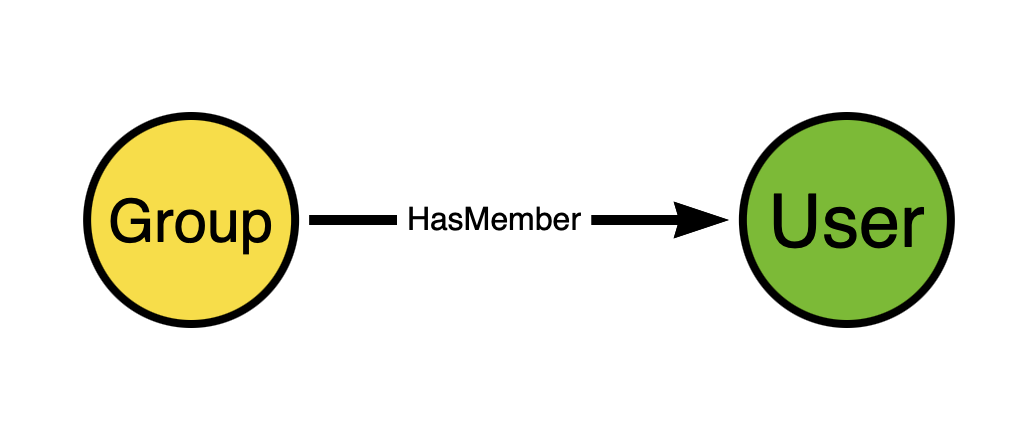 This seems perfectly reasonable at first glance, does it not? But remember that we are constructing an **attack graph** in order to discover **attack paths**. Edge directionality must serve attack path discovery.
The direction of the edge going from the group to the user does not expose any attack path. Just because a user is a member of a group does not mean the group has any “control” of the user. But when the direction of the edge is from the user to the group, that DOES serve attack path discovery.
Why? Because in Windows and Active Directory, members of security groups gain the privileges held by those groups. Let's extend the model a bit to make this easier to see:
This seems perfectly reasonable at first glance, does it not? But remember that we are constructing an **attack graph** in order to discover **attack paths**. Edge directionality must serve attack path discovery.
The direction of the edge going from the group to the user does not expose any attack path. Just because a user is a member of a group does not mean the group has any “control” of the user. But when the direction of the edge is from the user to the group, that DOES serve attack path discovery.
Why? Because in Windows and Active Directory, members of security groups gain the privileges held by those groups. Let's extend the model a bit to make this easier to see:
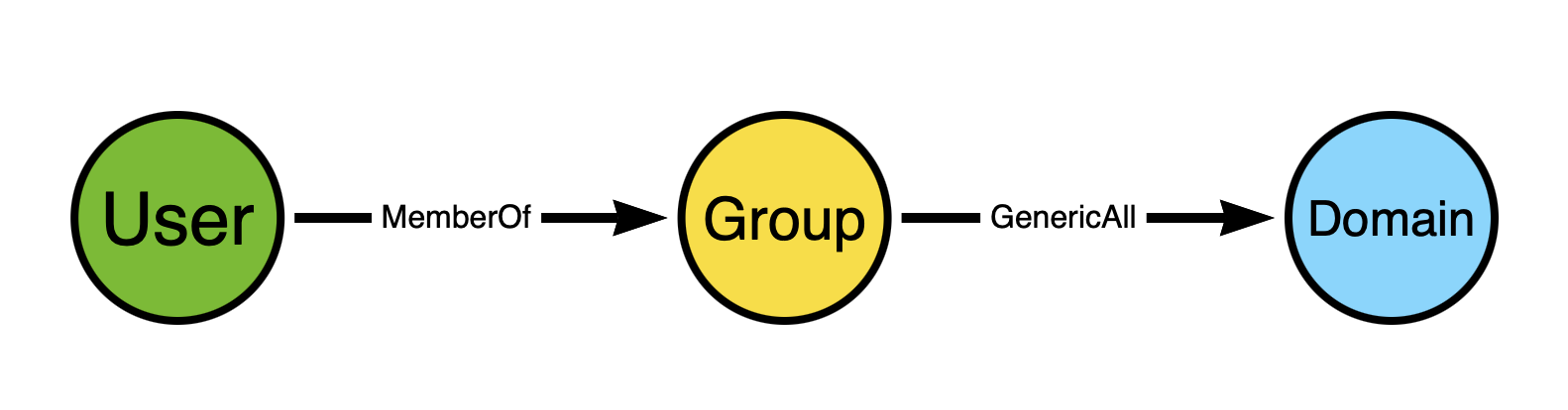 The user is a member of a group, and the group has full control of the domain. When the user authenticates to Active Directory, their Kerberos ticket will include the SID of the group. When the user uses that ticket to perform some action against the domain object, the security reference monitor will inspect the ticket, see the group SID, and grant the user all the permissions against the domain that the group has.
**In reality the process is much more involved than this, but work with me here, people.**
The above diagram shows a **path** connecting two **non-adjacent** nodes. **Adjacent** nodes are those that are connected together by an edge. In the above diagram, the adjacent nodes are:
1. “User” and “Group” via the “MemberOf” edge
2. “Group” and “Domain” via the “GenericAll” edge
The “User” and “Domain” nodes are non-adjacent, yet there is a **path** connecting the “User” node to the “Domain” node.
When designing your attack graph model, you **must** be aware of the **patterns** that will emerge from your design. There are many examples out there of people who want to make a contribution to the BloodHound graph who do not seem to be aware of this. Instead of proposing nodes/edges that create multi-node patterns, they propose nodes/edges that result **only** in one-to-one patterns:
The user is a member of a group, and the group has full control of the domain. When the user authenticates to Active Directory, their Kerberos ticket will include the SID of the group. When the user uses that ticket to perform some action against the domain object, the security reference monitor will inspect the ticket, see the group SID, and grant the user all the permissions against the domain that the group has.
**In reality the process is much more involved than this, but work with me here, people.**
The above diagram shows a **path** connecting two **non-adjacent** nodes. **Adjacent** nodes are those that are connected together by an edge. In the above diagram, the adjacent nodes are:
1. “User” and “Group” via the “MemberOf” edge
2. “Group” and “Domain” via the “GenericAll” edge
The “User” and “Domain” nodes are non-adjacent, yet there is a **path** connecting the “User” node to the “Domain” node.
When designing your attack graph model, you **must** be aware of the **patterns** that will emerge from your design. There are many examples out there of people who want to make a contribution to the BloodHound graph who do not seem to be aware of this. Instead of proposing nodes/edges that create multi-node patterns, they propose nodes/edges that result **only** in one-to-one patterns:
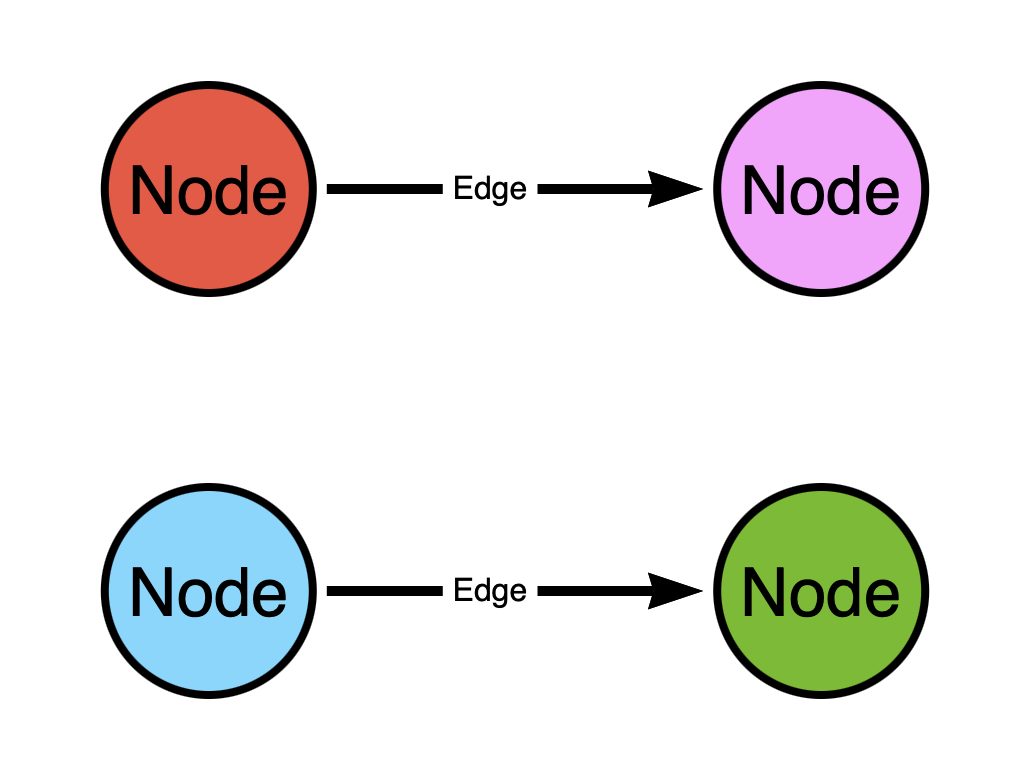 In the above graph there are two patterns:
1. From the red (top left) to the pink (top right) node
2. From the blue (bottom left) to the green (bottom right) node
What's wrong with this design?
Think of the graph as a map of **one-way streets**. In the above graph we have two one-way streets. But this map kinda sucks, doesn't it? You can only start in two places and you can only go to two places. You can't go from the red (top left) node to the blue (bottom left) node because there is no **path** connecting those nodes.
This is a much better map:
In the above graph there are two patterns:
1. From the red (top left) to the pink (top right) node
2. From the blue (bottom left) to the green (bottom right) node
What's wrong with this design?
Think of the graph as a map of **one-way streets**. In the above graph we have two one-way streets. But this map kinda sucks, doesn't it? You can only start in two places and you can only go to two places. You can't go from the red (top left) node to the blue (bottom left) node because there is no **path** connecting those nodes.
This is a much better map:
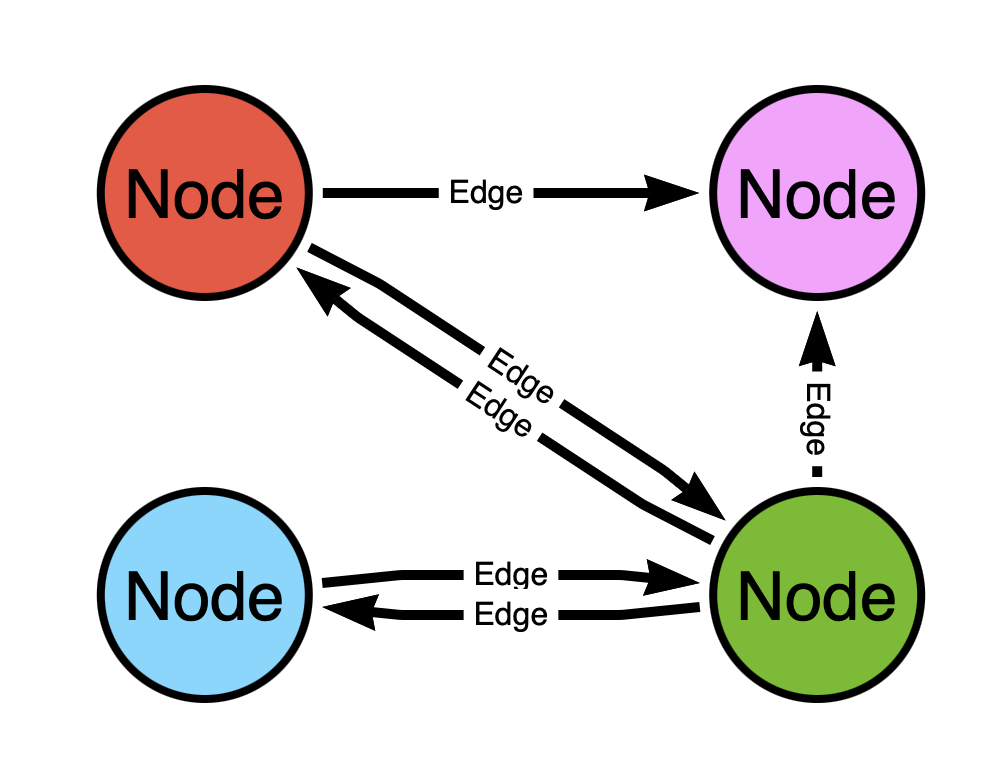 Now is there a **path** from the red (top left) node to the blue (bottom left) node? Yes! It goes **through** the green (bottom right) node!
The difference in the two graphs is the level of **connectedness**, or how well-linked the nodes are to one another.
Let's belabor the point a little more to make it even more clear. The top model would be analogous to having a node represent both a **person** and the **address** where they live, with the edge representing the fact that they live at that address:
Now is there a **path** from the red (top left) node to the blue (bottom left) node? Yes! It goes **through** the green (bottom right) node!
The difference in the two graphs is the level of **connectedness**, or how well-linked the nodes are to one another.
Let's belabor the point a little more to make it even more clear. The top model would be analogous to having a node represent both a **person** and the **address** where they live, with the edge representing the fact that they live at that address:
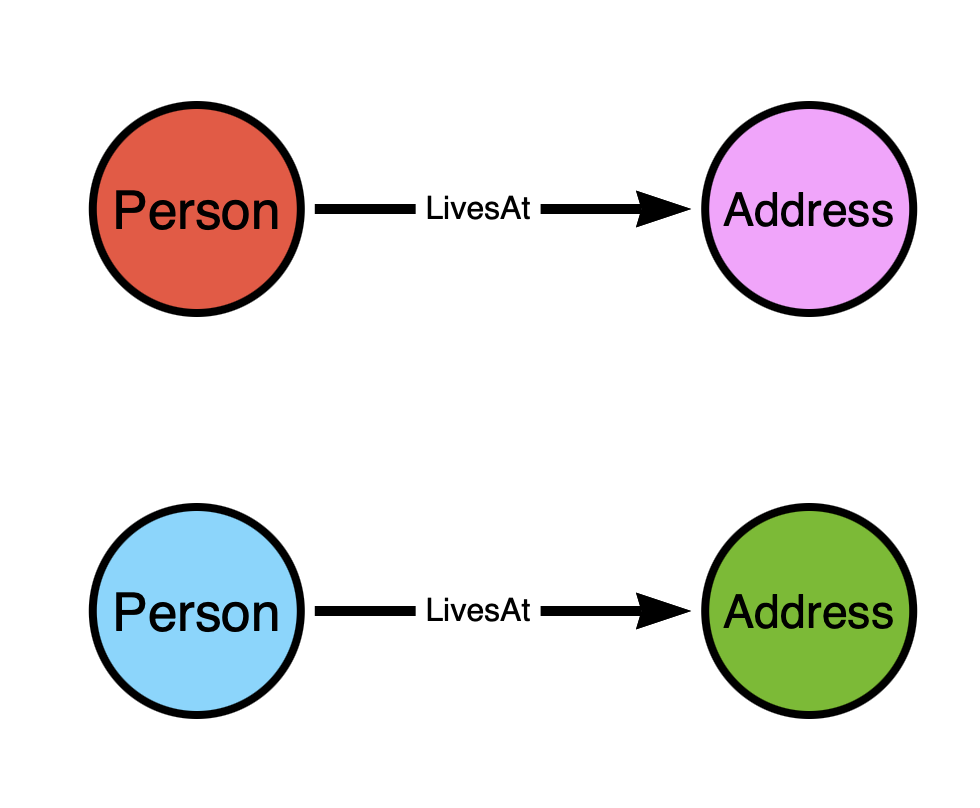 While the bottom graph would be analogous to having the nodes represent the **addresses** and the edges represent **streets**:
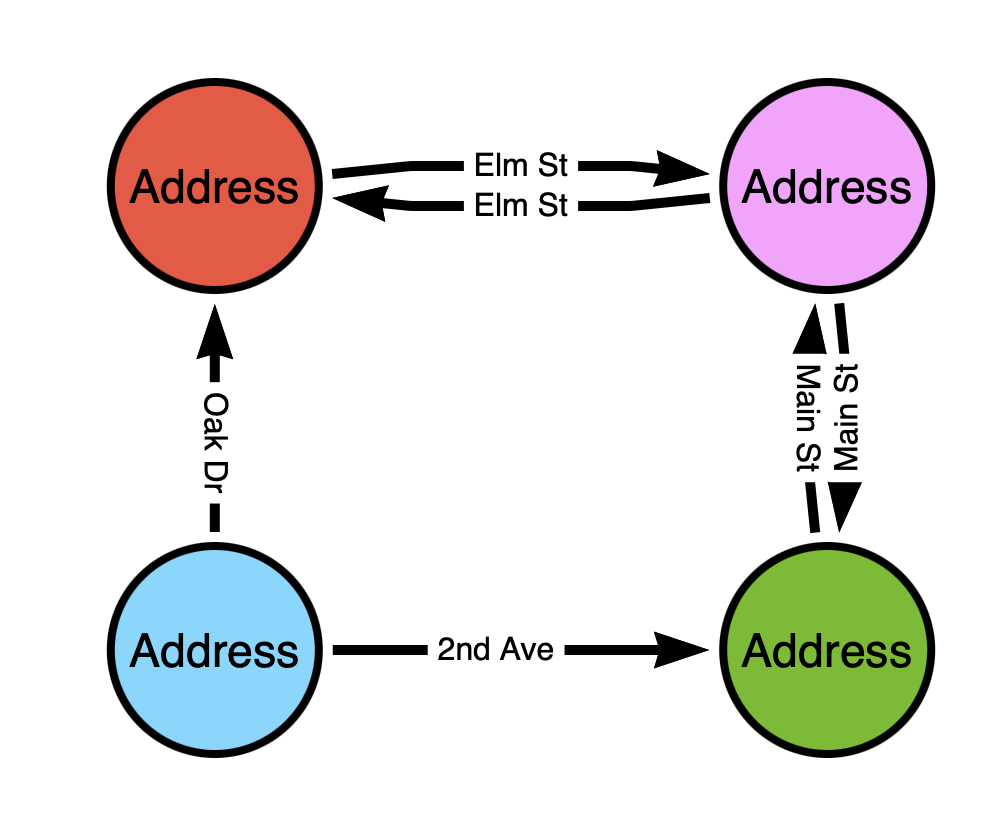 It should be obvious that for the sake of **pathfinding**, the **second** model is the **only** model that will work.
**This is actually how Google Maps works under the hood — it is a graph where locations are nodes and streets are edges.**
If your graph model does not create paths connecting non-adjacent nodes, you should use a relational database instead. A graph database is the wrong tool for data that only produces one-to-one patterns.
This article is adapted from [Andy Robbins](https://www.linkedin.com/in/robbinsandy/)' blog post, “[Attack Graph Model Design Requirements and Examples](https://specterops.io/blog/2025/08/01/attack-graph-model-design-requirements-and-examples/),” which goes beyond what's described here.
It should be obvious that for the sake of **pathfinding**, the **second** model is the **only** model that will work.
**This is actually how Google Maps works under the hood — it is a graph where locations are nodes and streets are edges.**
If your graph model does not create paths connecting non-adjacent nodes, you should use a relational database instead. A graph database is the wrong tool for data that only produces one-to-one patterns.
This article is adapted from [Andy Robbins](https://www.linkedin.com/in/robbinsandy/)' blog post, “[Attack Graph Model Design Requirements and Examples](https://specterops.io/blog/2025/08/01/attack-graph-model-design-requirements-and-examples/),” which goes beyond what's described here.