> ## Documentation Index
> Fetch the complete documentation index at: https://bloodhound.specterops.io/llms.txt
> Use this file to discover all available pages before exploring further.
# Certification
> Understand the certification process for Privilege Zones and how to manage member approvals.
 Certification is an optional process to interrupt automatic inclusion of additional objects in a zone based on [rule](/analyze-data/privilege-zones/rules) expansion behavior by requiring manual certification of the additional objects. It allows administrators or power users to manually review and approve objects before they appear in privilege zones.
This process gives you control over zone membership and helps prevent unexpected additions from triggering false findings.
Certification is an optional process to interrupt automatic inclusion of additional objects in a zone based on [rule](/analyze-data/privilege-zones/rules) expansion behavior by requiring manual certification of the additional objects. It allows administrators or power users to manually review and approve objects before they appear in privilege zones.
This process gives you control over zone membership and helps prevent unexpected additions from triggering false findings.
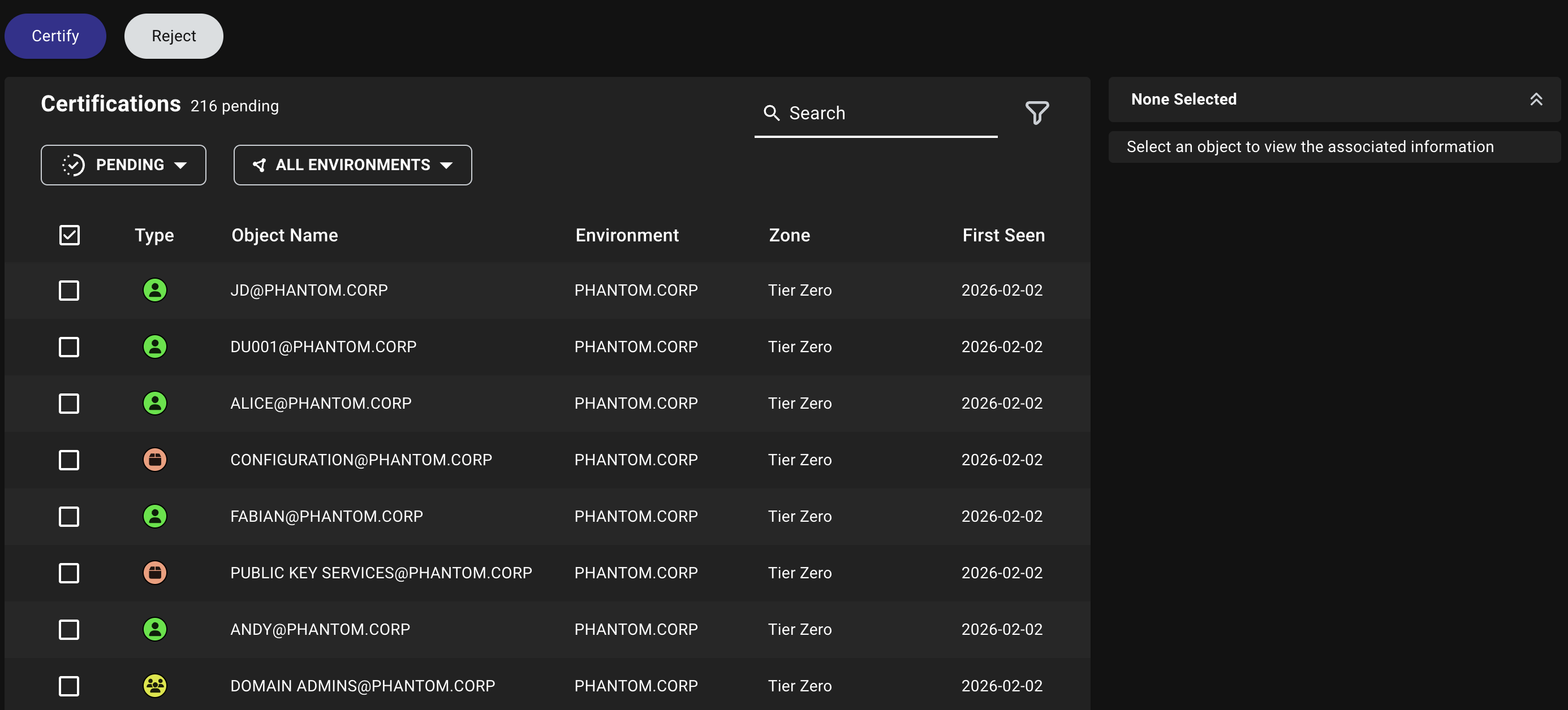 ## Why use certification?
Without certification, BloodHound automatically includes objects in zones as soon as they match a rule's expansion criteria. This can create unexpected findings when objects are inadvertently added to privileged groups.
For example, if a new user is added to the Domain Admins group, BloodHound immediately tags them to the **Tier Zero** zone and generates attack path findings for that user.
In the preceding example, certification solves this problem by requiring manual approval before objects are fully recognized within a zone. During the certification process, BloodHound still identifies the object's relationship to the zone but generates a "Non-Certified Principal with Tier Zero Privileges" finding instead of standard attack path findings.
This gives you time to review whether the object should remain in the zone or if its group membership was a mistake.
BloodHound supports certification for zones only.
## How certification works
When you enable certification for a zone:
1. Objects that match the zone's rules enter a pending state
2. BloodHound generates findings indicating the objects require certification
3. Administrators or power users review objects in the **Certifications** tab
4. Once certified, objects are fully recognized in the zone and BloodHound generates standard findings
5. Alternatively, you can remove objects from privileged groups to prevent zone membership
You can configure certification requirements at the zone level (to affect all rules) or at the individual [rule](/analyze-data/privilege-zones/rules) level, giving you flexibility in managing object approvals.
## Manage certifications
The **Certifications** tab on the **Zone Builder** page allows administrators and power users to review certification status and take action on objects in zones where certification has been configured.
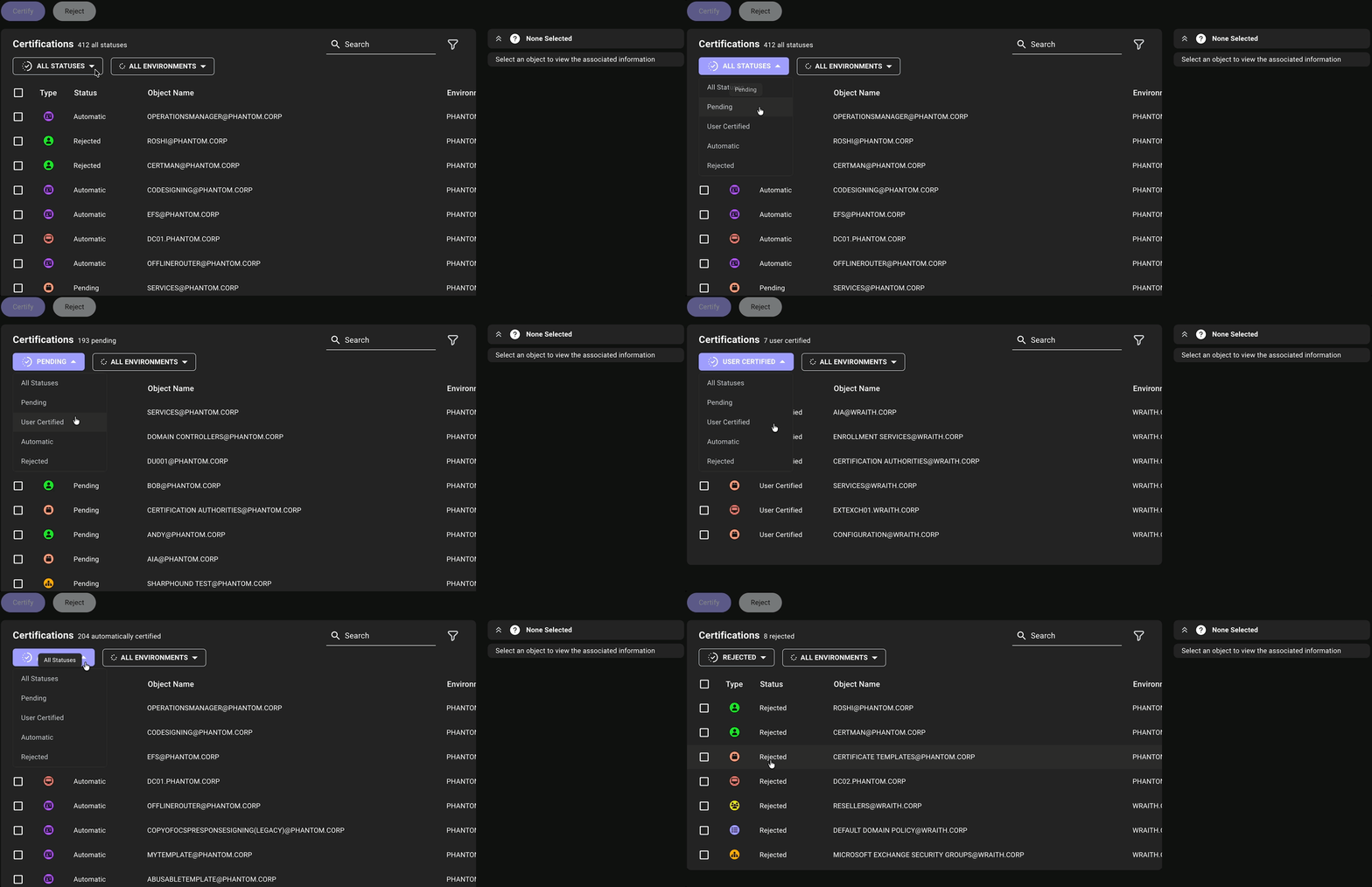
When you open the **Certifications** tab, BloodHound selects **All Statuses** by default. This view helps you confirm whether a specific object is already present in a zone without running separate searches for each certification status.
The table title shows **All Statuses** and the total number of objects currently listed across these statuses: **Pending**, **User Certified**, **Automatic**, and **Rejected**.
The certification table includes the following columns:
| Column | Description |
| --------------- | ----------------------------------------------------------------------------------------------------- |
| **Type** | The object type |
| **Status** | The certification status for the object |
| **Object Name** | The display name of the object |
| **Environment** | The environment where the object exists |
| **Zone** | The zone that BloodHound Enterprise associates with the object based on the configured zone hierarchy |
| **First Seen** | The date and time the object was first seen in the zone |
* You can certify or reject certification only for objects in zones where certification is enabled.
* Objects appear in the certification queue only when their [rules](/analyze-data/privilege-zones/rules) have **Automatic Certification** turned off.
To manage certifications:
Navigate to the **Privilege Zones** > **Certifications** tab.
Use the status filter, environment filter, and search box to refine the results.
Click the status dropdown menu and choose **All Statuses**, **Pending**, **User Certified**, **Automatic**, or **Rejected**.
**All Statuses** is selected by default and lists objects across all statuses. The table title updates to match your selection and shows the total number of matching objects.
Actions are only available for certifications that require manual approval. You cannot certify or reject objects with the **Automatic** status.
## Why use certification?
Without certification, BloodHound automatically includes objects in zones as soon as they match a rule's expansion criteria. This can create unexpected findings when objects are inadvertently added to privileged groups.
For example, if a new user is added to the Domain Admins group, BloodHound immediately tags them to the **Tier Zero** zone and generates attack path findings for that user.
In the preceding example, certification solves this problem by requiring manual approval before objects are fully recognized within a zone. During the certification process, BloodHound still identifies the object's relationship to the zone but generates a "Non-Certified Principal with Tier Zero Privileges" finding instead of standard attack path findings.
This gives you time to review whether the object should remain in the zone or if its group membership was a mistake.
BloodHound supports certification for zones only.
## How certification works
When you enable certification for a zone:
1. Objects that match the zone's rules enter a pending state
2. BloodHound generates findings indicating the objects require certification
3. Administrators or power users review objects in the **Certifications** tab
4. Once certified, objects are fully recognized in the zone and BloodHound generates standard findings
5. Alternatively, you can remove objects from privileged groups to prevent zone membership
You can configure certification requirements at the zone level (to affect all rules) or at the individual [rule](/analyze-data/privilege-zones/rules) level, giving you flexibility in managing object approvals.
## Manage certifications
The **Certifications** tab on the **Zone Builder** page allows administrators and power users to review certification status and take action on objects in zones where certification has been configured.
When you open the **Certifications** tab, BloodHound selects **All Statuses** by default. This view helps you confirm whether a specific object is already present in a zone without running separate searches for each certification status.
The table title shows **All Statuses** and the total number of objects currently listed across these statuses: **Pending**, **User Certified**, **Automatic**, and **Rejected**.
The certification table includes the following columns:
| Column | Description |
| --------------- | ----------------------------------------------------------------------------------------------------- |
| **Type** | The object type |
| **Status** | The certification status for the object |
| **Object Name** | The display name of the object |
| **Environment** | The environment where the object exists |
| **Zone** | The zone that BloodHound Enterprise associates with the object based on the configured zone hierarchy |
| **First Seen** | The date and time the object was first seen in the zone |
* You can certify or reject certification only for objects in zones where certification is enabled.
* Objects appear in the certification queue only when their [rules](/analyze-data/privilege-zones/rules) have **Automatic Certification** turned off.
To manage certifications:
Navigate to the **Privilege Zones** > **Certifications** tab.
Use the status filter, environment filter, and search box to refine the results.
Click the status dropdown menu and choose **All Statuses**, **Pending**, **User Certified**, **Automatic**, or **Rejected**.
**All Statuses** is selected by default and lists objects across all statuses. The table title updates to match your selection and shows the total number of matching objects.
Actions are only available for certifications that require manual approval. You cannot certify or reject objects with the **Automatic** status.
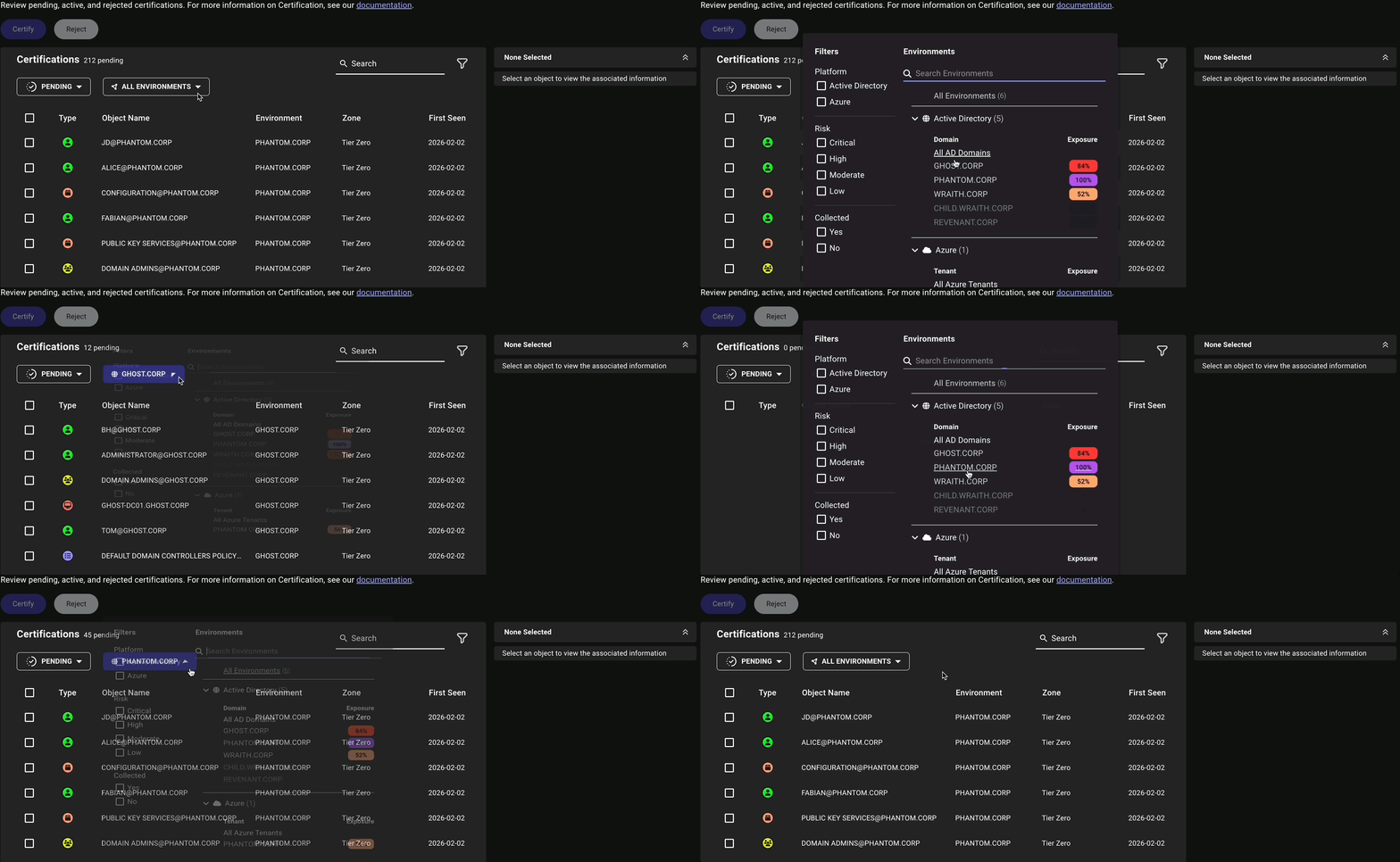
 Click the environment dropdown menu and select the desired environment to view its certifications.
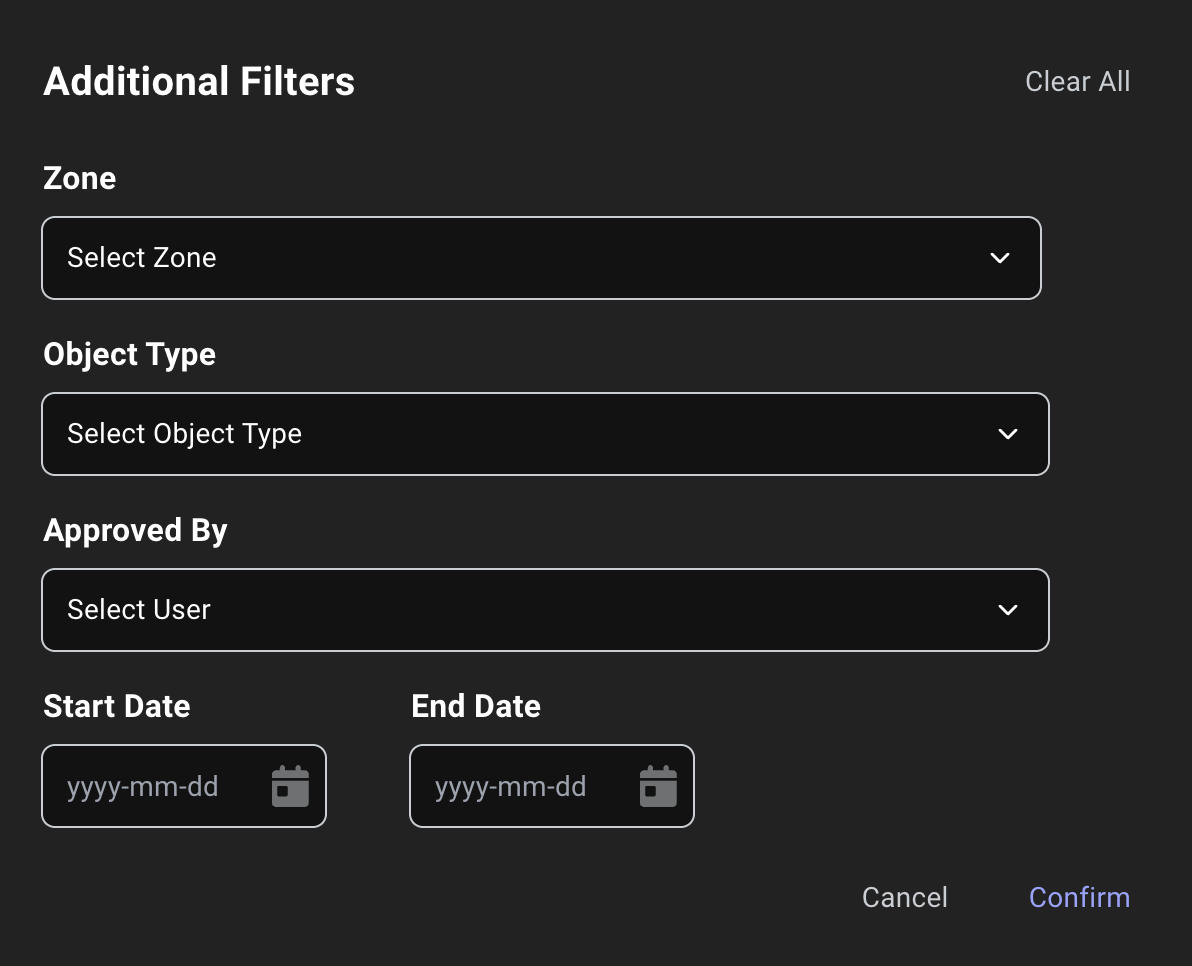
 Use the search box and additional filters to find specific objects in the current table view.
With **All Statuses** selected, you can search across all objects in **Pending**, **User Certified**, **Automatic**, and **Rejected** at the same time.
If no object matches your search, BloodHound displays `No results.`
Use the search box and additional filters to find specific objects in the current table view.
With **All Statuses** selected, you can search across all objects in **Pending**, **User Certified**, **Automatic**, and **Rejected** at the same time.
If no object matches your search, BloodHound displays `No results.`
 1. Use the checkboxes to select one or more objects.
2. Click **Certify** or **Reject** as needed.
3. *(Optional)* Add a note to document the reason for your action.
* Click **Skip Note** to complete the certification action without a note
* Click **Cancel** to exit without completing the certification action
1. Use the checkboxes to select one or more objects.
2. Click **Certify** or **Reject** as needed.
3. *(Optional)* Add a note to document the reason for your action.
* Click **Skip Note** to complete the certification action without a note
* Click **Cancel** to exit without completing the certification action
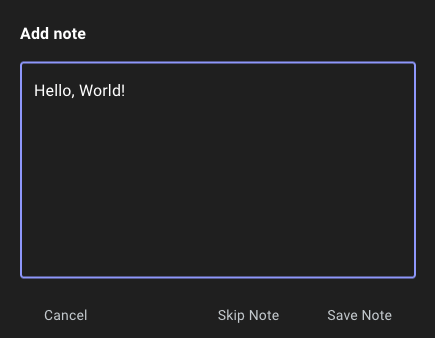 Notes are visible to all BloodHound users in the [History Log](/analyze-data/privilege-zones/history).